
Why Your Subscription Business Needs Its Own Website
You can run your subscription business on a large e-commerce platform like Amazon or eBay. However, while these platforms offer convenience, they come with limitations.
They allow you little control over customization, branding, and direct customer relationships.
Managing subscriber registrations, payments, and cancellations through these platforms often entails facing restrictions and inflexibility.
Ultimately, this setup can present an array of challenges, such as difficulty in scaling your business and potential customer dissatisfaction due to delays and limited control over information updates.
Having a website allows you to overcome many of these challenges.
A good membership site allows you to:
- Automate key subscription functions, like recurring payments.
- Easily monitor interactions and your subscribers’ preferences.
- Deliver instant updates and notifications, such as renewal notices.
- Manage content and product offerings in one place.
- Scale your business without taking on unnecessary costs.
- Sell across multiple channels, allowing you to expand your reach.
By choosing to build your own website, you gain the flexibility, customization options, and control needed to grow a successful subscription business.
10 Steps to Set Up Your Subscription Site from Scratch
Now that you’re aware of what you need for your subscription site, it’s time to set it up.
Let’s say you want to launch an adventure subscription box service for outdoor enthusiasts, complete with gadgets, maps, and adventure-themed snacks.
You can follow these steps to launch your subscriptions or membership site:
1.Choose Your Niche
A successful membership site sells products or services that people need on a recurring basis.
Before committing to a business idea, ask yourself three questions:
- Is there recurring demand? Look for something people consume regularly like coffee, skincare, or pet food, or want ongoing access to, such as training, curated products, or a community.
- Who is the audience? Define who you’re selling to and why they’d subscribe instead of buying one-off.
- Is the market sustainable? Check the competition and margins. A niche with high loyalty and low churn potential is better than one where customers drop off quickly
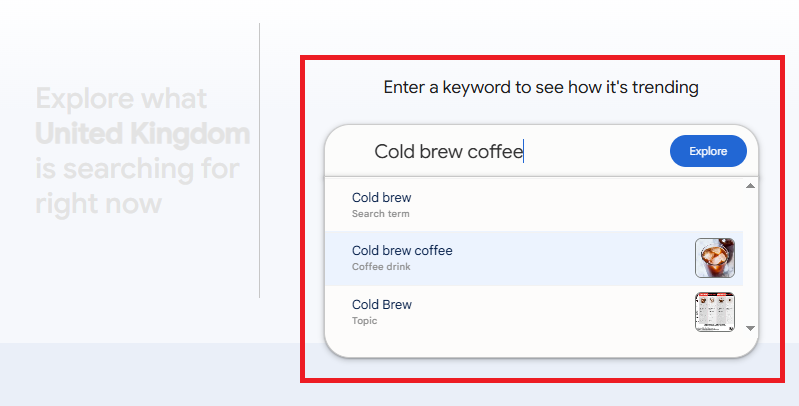
Google Trends is a good tool for testing how much demand there is for a product, service, or niche.
Begin by typing a term relevant to your business idea into the search bar and clicking “Explore”.
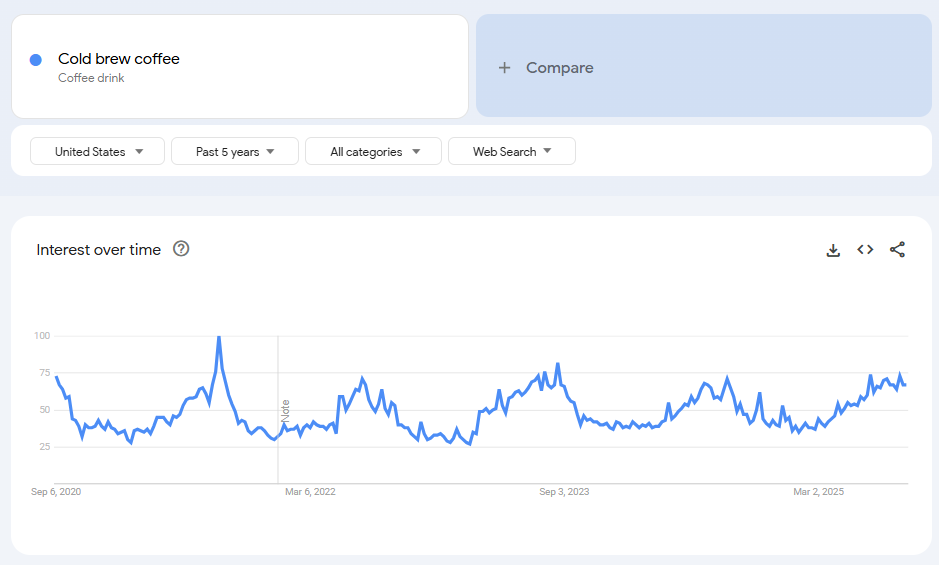
You’ll see a graph showing the number of searches for that term over a period of time.
This gives you an idea of how popular it is and whether it is growing in popularity or not.
For example, the graph below shows that interest in cold brew coffee is stable, with clear seasonal variations.
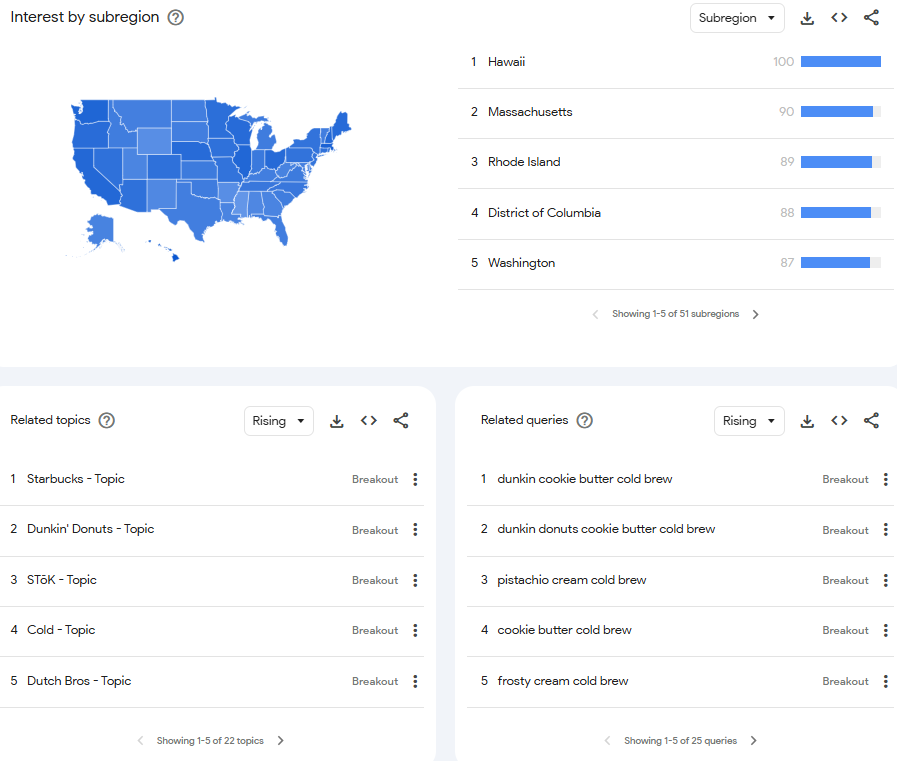
You can also see the regions where the term is most popular, plus related topics and queries.
To-Do List for Choosing Your Niche
|
2.Plan your business
The first thing you need to do is prepare your business plan, which should clearly outline the following:
- Target market: Make sure you have a clear understanding of who your subscribers might be. Will your boxes target all adventurers or, for example, only adventurers who enjoy water-based sports? Do they live in the U.S.? How old are they?
- Unique value proposition: You need to understand what sets your business apart from its competitors. If a competitor of yours already offers adventure boxes, how will your boxes be different? What sets it apart?
- Pricing strategy: Determine how you will price your monthly subscription boxes to ensure profitability while remaining competitive. Will you offer tiered pricing? Will you provide discounts for longer subscription commitments or bundle deals?
- Marketing plan: Develop a comprehensive strategy to promote your subscription box service and attract potential customers. Will you use a mix of digital marketing channels or a single channel? What are your target audience’s preferred communication channels?
Create a membership site business plan where you outline all of this and use it as a roadmap for your decisions.
To-do list for planning your business
- Define your target market in a short profile (age, location, lifestyle).
- Write down your unique value proposition in one clear sentence.
- Map out at least two pricing tiers or bundle ideas.
- List the marketing channels your target audience uses most (e.g., Instagram, YouTube, email).
3.Determine your subscription model

Armed with the knowledge from your business plan, you can now determine what kind of subscription business you’ll be running.
It’s important to consider what you sell, for example:
- Product subscriptions: This is when you offer regular deliveries of physical items, such as beauty products, snacks, or clothing.
- Service subscriptions: If you provide ongoing exclusive access to subscription services like online courses, cleaning services, or software subscriptions.
- Replenishment subscriptions: When you sell a base product such as a desktop printer range that requires regular refills of items that users can subscribe to.
- Membership subscriptions: If you give subscription members exclusive perks, premium content, or access to a community or platform, you have a membership model that needs a membership website.
- Hybrid subscriptions: This is a combination of different subscription models, such as a subscription box that offers products as well as exclusive services.
You also need to decide how you’ll sell it. This could include:
- Tiered access: Multiple price points with increasing levels of value (basic, premium, VIP).
- Drip-feed delivery: Content or products released gradually to keep subscribers engaged over time.
- Fixed-term memberships: Access for a set period (e.g., three or six months) with a clear start and finish.
- All-access subscriptions: Unlimited use or access for as long as the customer stays subscribed.
Let’s say after having considered these categories, you realize that your adventure subscription box falls under the product subscription model.
This knowledge will further inform your decisions regarding product sourcing, pricing strategies, and marketing tactics.
Many businesses combine models, such as offering tiered pricing for a drip-fed subscription box.
Once you’ve decided how your subscription will run, the next step is choosing the platform to build it on.
To-do list for determining your subscription model
- Decide whether your offer is product, service, replenishment, membership, or hybrid.
- Choose a delivery/pricing model: tiered, drip-feed, fixed-term, or all-access.
- Sketch a simple chart showing how each plan would work.
- Check whether your model requires special features (e.g., trials, renewals, multiple shipping options).
4.Choose your subscription site’s platform
There are two main options when you’re determining how to create a membership site:
- Use a platform-plugin combination.
- Opt for an all-in-one solution.
Let’s look at each in detail.
A) Base platform + subscription plugins
Some platforms, like Shopify, Wix, and WordPress, don’t automatically offer subscription-specific functionality.
If you want to manage your subscribers effectively, you need to add membership plugins, such as WooCommerce and WooCommerce Subscriptions, to ensure that your membership site features the following:
- Subscription management: Allows customers to manage their subscriptions, such as upgrading, downgrading, or canceling plans.
- Trial periods: Offer free trial periods to attract new customers.
- Discounts and coupons: Add discounts or coupon codes to get more subscribers or encourage renewals.
- Product variations: Offer different subscription options, such as monthly, quarterly, or annual plans.
- Email notifications: Send automated emails for subscription-related events, like renewal reminders or failed payments.
- Recurring payments: Automatically charge customers on a recurring basis for their subscriptions without manual intervention.
- Payment retries: Automatically retry failed payments so that billing issues are addressed immediately and don’t pile up over time.
- Customer support features: Provide customer service through live chat or a ticketing system to assist subscribers with issues.
However, you might find that WooCommerce isn’t ideal for advanced subscription models or specialized industries that offer digital downloads or memberships.
In such cases, you may need to explore alternative plugins, such as MemberPress for membership sites or Easy Digital Downloads for digital downloads.
Adding these plugins means you’re now using two subscription plugins. If it turns out that you need more features, this list will continue to grow.
Multiple plugins increase your expenses and add complexity to your membership site, potentially leading to software conflicts and crashes.
Who should choose this option?
If you already have a website set up with a base platform, such as WordPress or Shopify, you may prefer going with the paid member subscriptions plugin route rather than starting from scratch.
However, keep in mind that there are ways to migrate your existing paid membership site to a new platform.
For example, Subbly allows you to transfer all your existing subscription data, customer information, and other relevant content to the Subbly platform.
The migration itself is free and, as a bonus, you will get your first 6+ months free.
Click here to find out how to make the switch →
B) All-in-one platform
Instead of juggling a list of plugins to meet different needs, consider the simplicity of an all-in-one solution like Subbly.
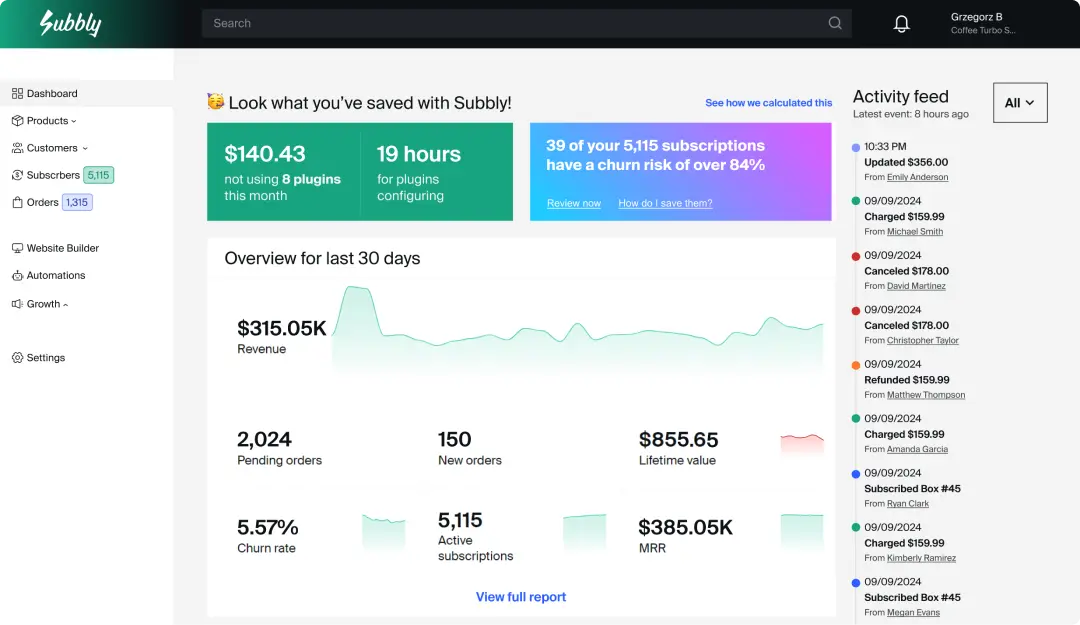
With Subbly, you get the best of both worlds:
- General subscription website features: Enjoy secure payment processing, automated billing and invoicing, user-friendly website management, responsive design options, and SSL encryption for security.
- Specialized subscription functionality: Gain instant access to trial periods, discounts and coupons, product variations, email notifications, and analytics and reporting tailored to subscription businesses.
Subbly gives you access to an AI website builder, allowing you to easily set up and manage your membership site according to your exact preferences in just a few prompts.
Within a few minutes, you can have your subscription business up and running with all the functionality and features you need.
The knock-out round: Cost comparison
According to WebFX, if you choose to use one of the following platforms, then this is how much you can expect it to cost:
- WordPress: $7 to $1,200 per month
- Wix: $16 to $159 per month
- Shopify: $39 to $2,300 per month for Shopify Plus
In addition, budget about $600 for plugins you’ll likely need alongside your main membership site.
In contrast to this, Subbly is an all-in-one subscription solution that doesn’t require any additional software.
The listed price is the full cost that you will end up paying to run a successful subscription website:
- Subbly: $19 to $499 per month
What Should Your Subscription Website Include?
Some requirements are critical for subscription websites, whether you choose a base platform with plugins or an all-in-one website.
Responsive design
Have you ever come across a website that looks great on your laptop but terrible on your mobile phone?
This happens when a website isn’t responsive. Instead of rearranging the content to fit smaller screens, it tries to display everything in the format used for larger screens.
Have a look at the example below—the website on the left is responsive whereas the one on the right isn’t:
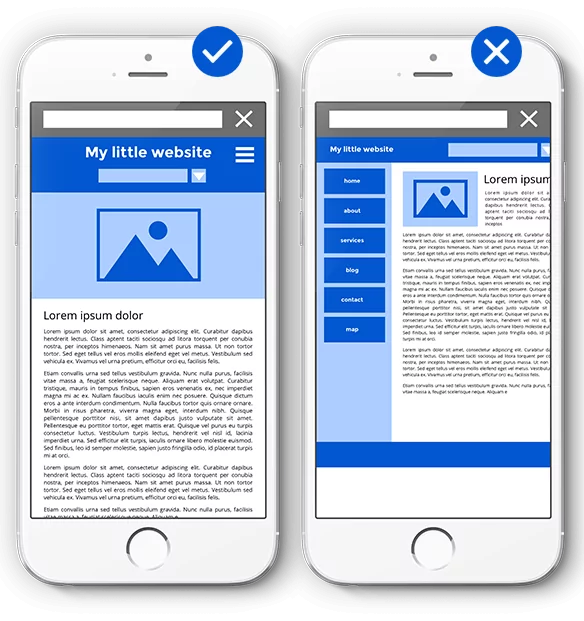
Unresponsive websites are difficult to read because the content isn’t scaled properly, pages are often cut off, and navigation becomes a hassle.
Research has found that responsive websites achieve an 11% higher conversion rate, which means that they effectively capture and retain more visitors.
When choosing your CMS or website builder, make sure it offers responsive options that make it easy for your subscribers to find and understand your offers.
Robust security measures
When you choose a website builder, make sure it has SSL (Secure Sockets Layer). This keeps all the information that passes between your site and your users secure.
For example, when someone logs in to your site, SSL scrambles their login details and personal information so that no one else can see it.
This encryption prevents unauthorized access to their personal details, providing you and your subscribers with peace of mind.
How to tell whether a website has SSL
An easy way to check this is by looking at the website’s URL. If it starts with “https://” instead of just “http://”, then the website has an SSL certificate:
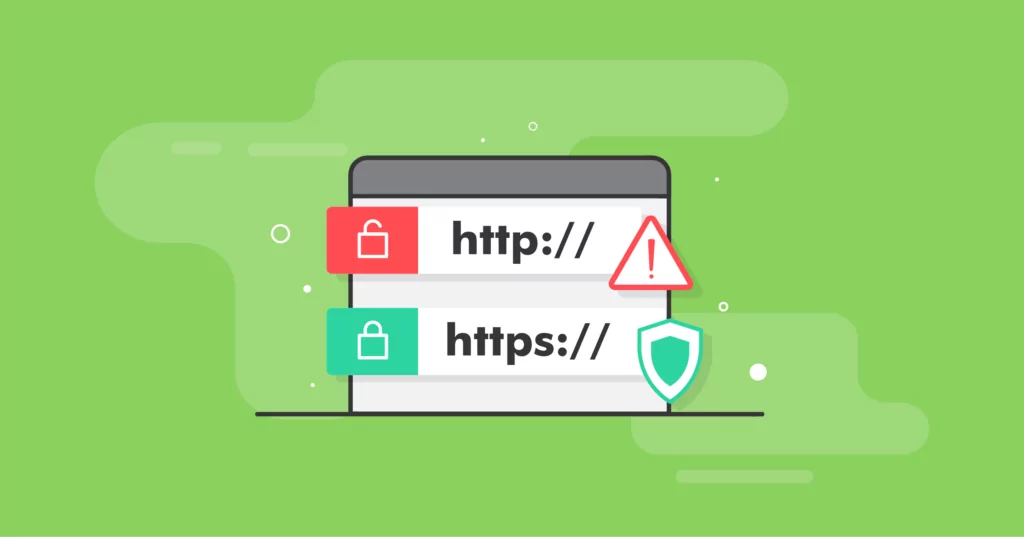
Smart subscribers will be aware of this and, if they notice your website doesn’t feature it, they might take their business elsewhere.
Reliable hosting and storage
Once your website goes live, you need to do everything within your power to keep it up and running smoothly.
If your website crashes, you risk losing potential customers who are trying to find you online, and existing customers may become frustrated because they can’t access their subscription details.
By using reliable hosting and storage services, you’re guaranteeing consistent uptime and smooth website performance.
Easily integrates with popular apps
If you’re not familiar with data-gathering apps like Google Analytics, you might want to integrate them into your website to analyze performance.
Similarly, if your business needs more detailed tools, such as extensive customer support features, integrating an app like Zendesk can boost your business.
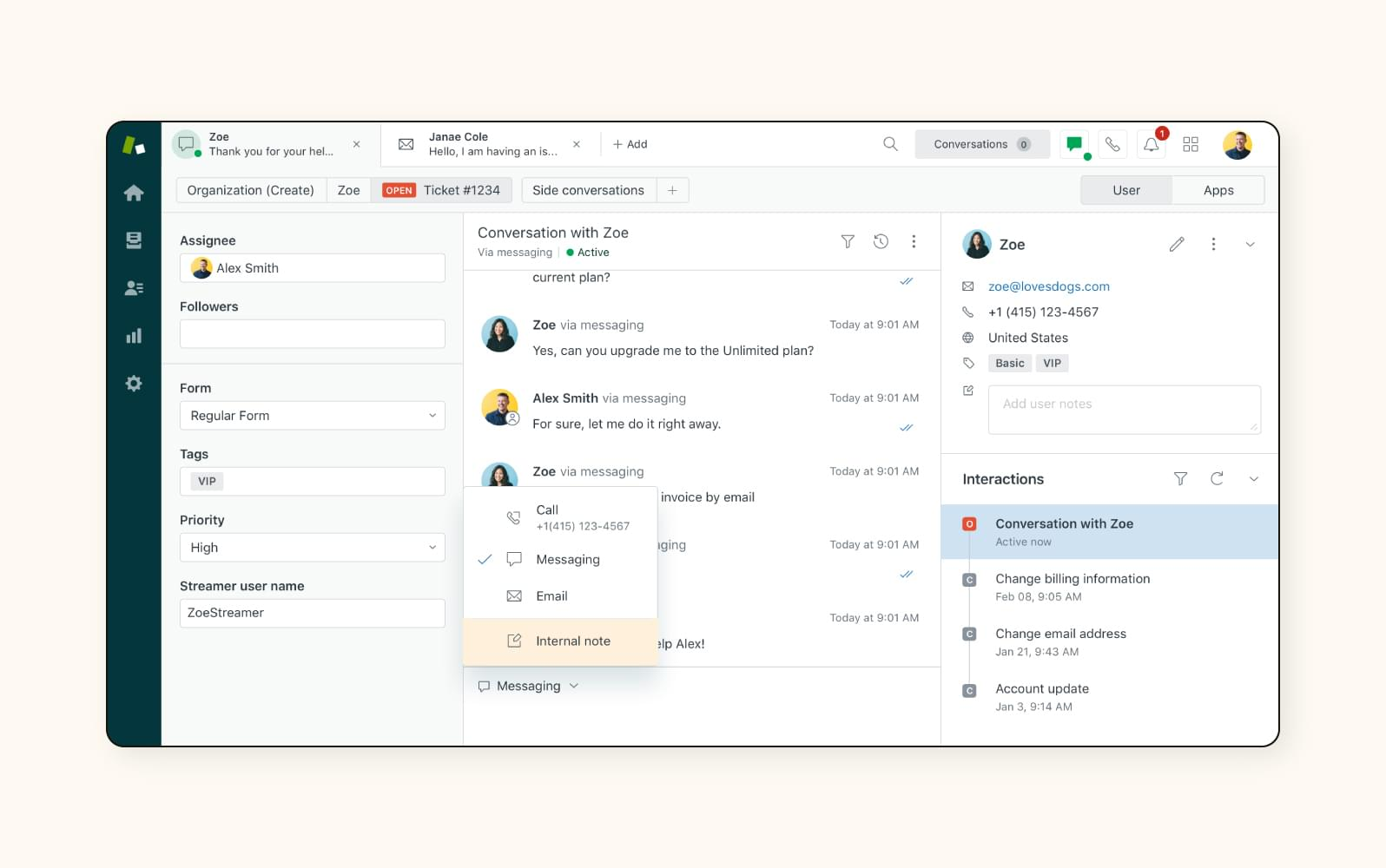
Make sure your subscription website can easily integrate with these apps from the start, otherwise you may have to compromise and revert to less optimal third-party choices.
Final word on choosing a platform
Before you make a final decision for your adventure business, you read some comparisons of Subbly and alternative options, like Shopify and WordPress.
You decide to choose Subbly as your platform because you’ll be gaining the following advantages:
- Easy scalability: Subbly offers scalable solutions that can grow with your business, allowing you to easily expand your subscription offering and increase website traffic.
- Dedicated support: With Subbly, you gain access to dedicated customer support from experts in subscription commerce, ensuring guidance whenever you encounter challenges.
- Brilliant subscription features: Subbly has flexible billing options, customizable subscription plans, recurring subscription payments, and advanced analytics tools.
To-do list for choosing your website’s platform
- Decide your path: Keep your current site with plugins or move to an all-in-one.
- Set up your “must-haves”: Billing automation, customer portal, coupons, analytics, and taxes.
- Calculate and compare the total 12-month cost of potential platforms (platform + plugins + processing + dev time).
- Test two demos: Build one plan, one coupon, and a checkout flow in each.
- Check billing logic: Upgrades/downgrades, proration, pause/skip, dunning.
- Confirm security/compliance: HTTPS, SCA/3DS, GDPR tools, data export.
- Review performance: Mobile speed, CDN/media optimisation, and uptime status page.
- Verify integrations: Email, analytics, CRM/helpdesk, webhooks/Zapier.
- If migrating: Confirm token portability with your gateway and plan 301 redirects.
5. Set up secure payment processing
This is a critical stage in setting up your website.
If you make errors when processing your customers’ payments or put their personal data at risk, it will instantly erode their trust.
Without secure payment processing, your business will collapse before it even takes off properly, regardless of how good of an idea you have.
If you want your business to succeed, you need to set up payment gateways to ensure secure transactions.
If you want your business to succeed, you need to set up payment gateways to ensure secure transactions.
The downfall of Moviepass
MoviePass offered a subscription service that let members watch multiple movies in theaters for a fixed monthly fee — a bold idea that disrupted the entertainment industry.
However, by 2019, the company shut down due to a series of financial and operational problems. Users faced constant frustrations — from ticket access issues to unauthorized charges — which eroded trust quickly.
Most critically, MoviePass failed to maintain secure and reliable payment processing. Poor fraud prevention and billing system errors compounded their financial instability and accelerated their decline.
The brand has since been acquired and relaunched by a former employee, aiming to rebuild its reputation with stronger systems and better user protections.
To-Do List for Setting Up Secure Payment Processing
- Pick a payment gateway (Stripe, PayPal, etc.).
- Enable SSL on your site and confirm your URL begins with “https://”.
- Run a small $1 test payment to verify that transactions are processed correctly
6.Implement automated billing and invoicing
One of the most time-consuming tasks when running a subscription business is keeping track of billing cycles and drawing up invoices.
If your website is set up well, it will handle these tasks automatically, saving you valuable time and reducing the risk of errors.
The results are twofold:
- Your customers are happy because they’re charged the agreed-upon amounts at the correct intervals.
- Your business successfully receives the correct payments on time, allowing you to cover your own expenses.
To-Do List for Implementing Automated Billing and Invoicing
- Enable auto-billing in your platform dashboard.
- Upload your company details and logo to personalize your invoices.
- Test a full subscription sign-up and confirm invoices generate correctly.
- Simulate a failed payment and verify that retry logic works as intended.
7.Design your website
Now you’ve got the basics in place, it’s time to create your website’s structure and design the pages.
If you’re using a platform like Subbly, then there are three approaches you can take:
- Design it yourself using either code or our drag-and-drop editor.
- Choose a template from our library.
- Use our AI generator to automatically build a completely unique website for you.
For example, you might browse the website subscription templates on Subbly and decide that the Paw Package template matches the natural feel of the website you want to set up.

After selecting this option, you can start customizing it to suit your adventure-themed boxes by adding your own content and images.
This is also the right time to create essential pages, such as your About section, which gives paying members or subscribers some background about your business.
Sign up for Subbly’s AI website builder

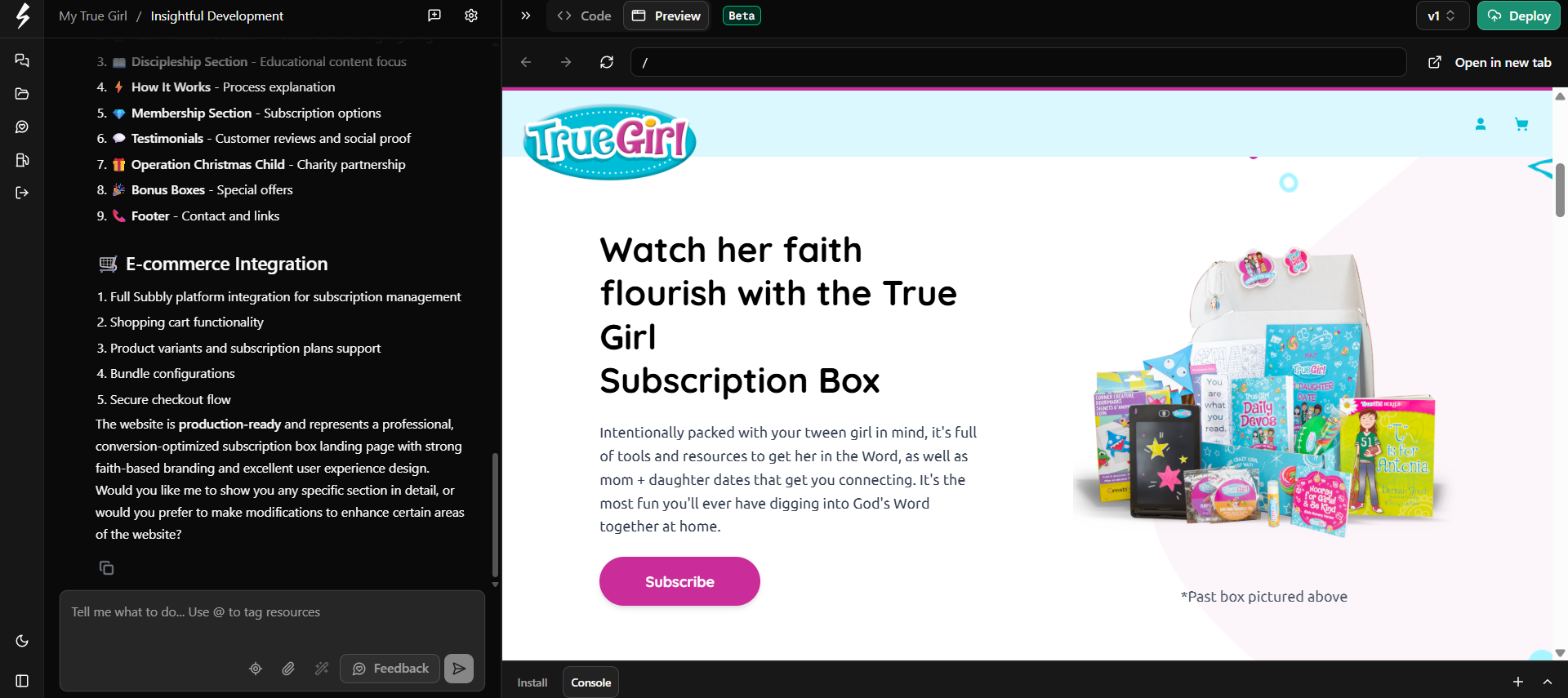
Subbly’s AI website builder allows you to build an entire original site in hours rather than days, no coding or technical skills required.
Simply describe what you want and the AI codes a professional, subscription-ready site for you.
It can suggest layouts, write on-brand copy, and adapt designs to match your products and audience.
You still control the look and feel, but the AI takes care of the heavy lifting so you can launch faster.
You can visit our landing page to learn more and sign up for early access or watch the video below.

To-Do List for Designing Your Website
- Pick a template that matches your brand’s visual style.
- Customize fonts, colours, and imagery to align with your niche and tone.
- Create your core pages: Home, About, Subscription Plans, FAQ, and Contact.
- Add high-quality product photos and sample box images that tell your brand story.
8.Set up your subscription management

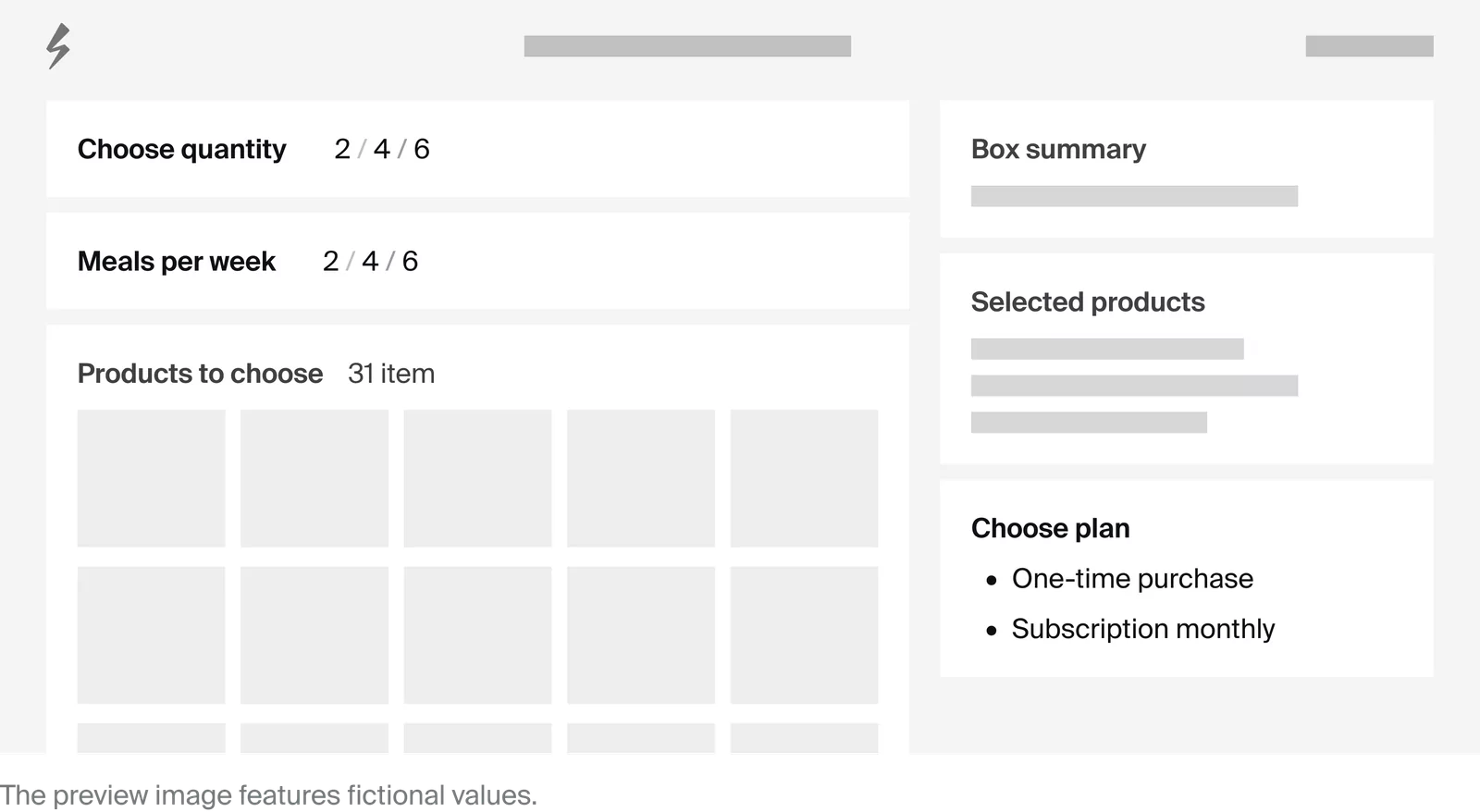
Next, you’ll want to determine which subscription features you need for your business.
This will depend on your subscription model (aka product subscription) and the details you outlined in your business plan.
Based on this, you decide to make sure the following is set up:
- Customizable subscription plans: Offer different adventure box options tailored to varying preferences, such as beginner, intermediate, and advanced levels of adventure.
- Trial periods: Provide potential subscribers with the opportunity to receive a single trial adventure box without having to commit to a full subscription.
- Flexible billing and shipping options: Implement flexible billing cycles and shipping frequencies to accommodate the diverse needs and schedules of adventure enthusiasts.
To-Do List for Setting Up Your Subscription Management
- Create subscription plans with clear billing frequencies and shipping windows.
- Enable pause/skip options and allow mid-cycle upgrades or downgrades (with proration if needed).
- Add trial periods or intro offers, and set coupon limits with clear expiry dates.
9.Build subscriber loyalty from day on
The success of a subscription website depends on retention. Good loyalty programs help you keep customers engaged and reduce churn.
Here are a few ways to build loyalty from day one:
- Send a welcome email that explains how the subscription works and what customers can expect next.
- Give subscribers exclusive content or perks, such as early access to new products or behind-the-scenes updates.
- Create opportunities for members to connect with you and each other through forums, private groups, or live Q&As.
- Use email or SMS to remind subscribers of upcoming deliveries, renewals, or new exclusive content drops.
With Subbly, you can automate much of this communication. That means less manual work for you and a smoother, more reliable experience for your subscribers.
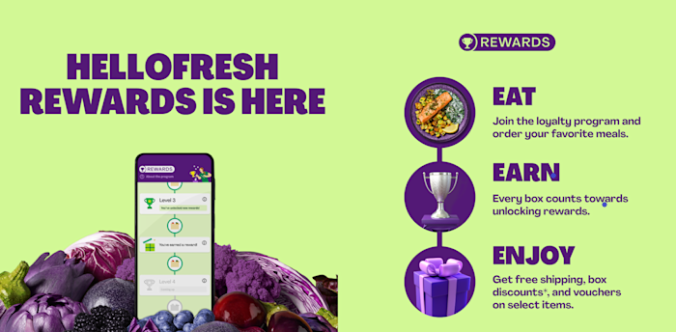
A good example of a business generating loyalty through its website is meal kit subscription service HelloFresh. Its website features HelloFresh Rewards, a free, progression-based loyalty program where members unlock milestones that deliver vouchers, free shipping, and box discounts as they place more orders.
To-Do List for Building Subscriber Loyalty from Day One
- Set up a 3-email welcome sequence covering what to expect, first-use tips, and a perks reminder.
- Publish a Perks / Rewards page inside the customer account area (milestones, referrals, bonuses).
- Schedule monthly “next box” or content previews plus renewal reminders to maintain engagement.
- Add a save-flow on cancellation — offer a discount, pause option, or plan change to reduce churn.
10.Promote, launch, and monitor
Now that everything is in place, you can start marketing your subscription website according to your marketing plan.
Once you’re confident you’ve created strong enough interest, take the plunge and officially introduce your adventure subscription box service to the world.
At the same time, you keep a close eye on its performance from day one by analyzing metrics and customer feedback to make informed decisions and tweaks as necessary.
Here are some of the important website metrics you should track:
- Churn rate: The percentage of subscribers who cancel their subscriptions over a certain period. For example, if a subscription box service had 1,000 subscribers in January and 50 canceled their subscriptions by the end of the month, the churn rate would be 5%.
- Monthly recurring revenue (MRR): The monthly revenue you gain from active subscriptions. For example, if a software subscription business has 100 subscribers paying $20 per month each, the MRR would be $2,000.
- Customer acquisition cost (CAC): The cost of acquiring a new customer. For example, if a marketing campaign costs $500 and attracts 50 new customers, the CAC would be $10 per customer.
To-Do List for Promoting, Launching, and Monitoring
- Pre-launch: collect emails, issue an early-bird promo code, and test your checkout flow end-to-end.
- Launch: track key metrics — MRR, churn rate, trial-to-paid conversions, and CAC — in one dashboard.
- Weekly: review top cancellation reasons and failed payments, then trigger automated win-back offers.
Our Favorite Subscription Sites
Right now, we’re particularly impressed by the following subscription sites:
1. Hatch Speciality Coffee
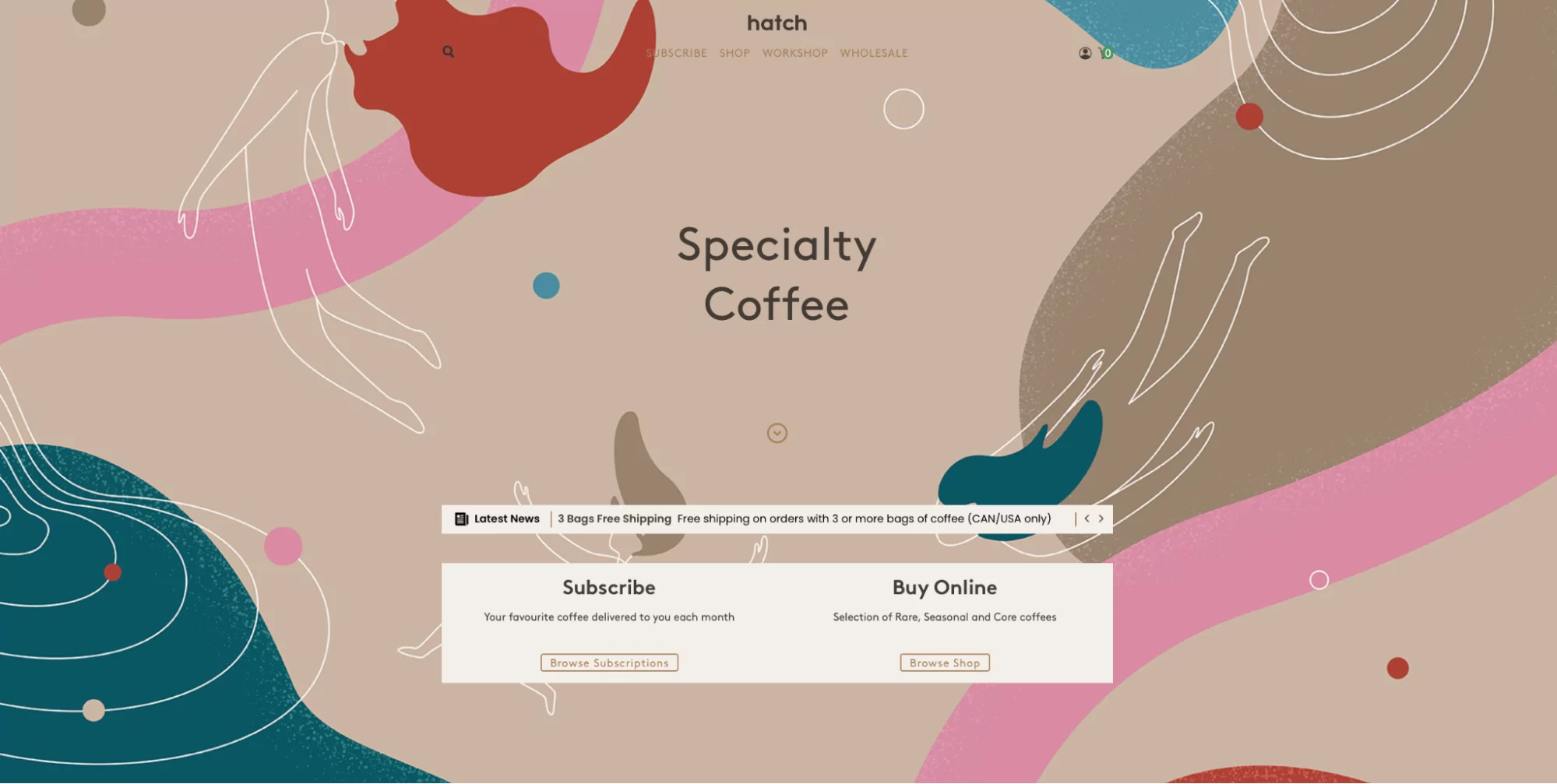
Hatch Specialty Coffee’s website delivers a seamless subscription experience and intuitive online shopping, making it easy for customers to explore and purchase specialty coffees.
2. Nudo Adopt an Olive Tree
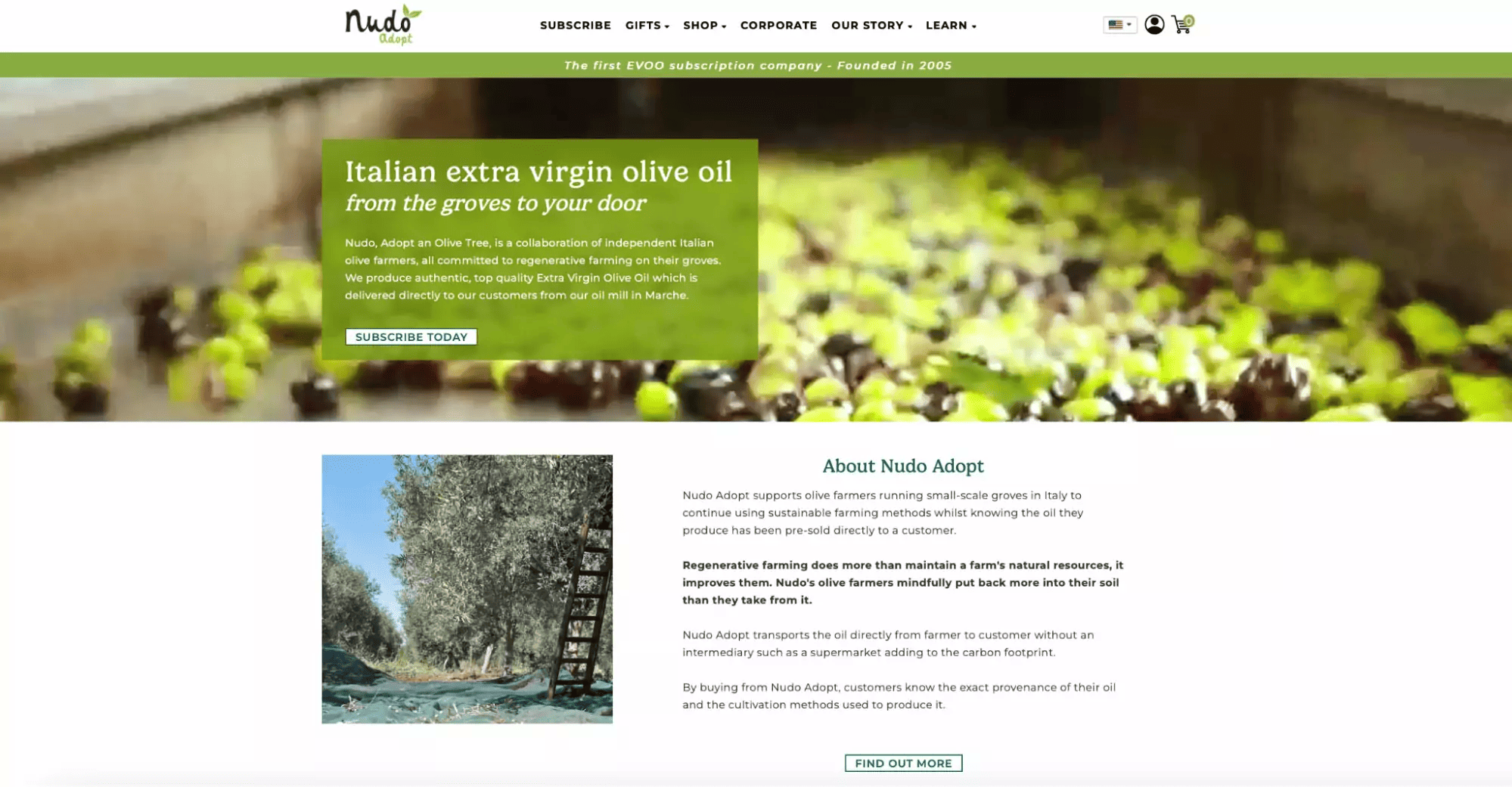
Nudo Adopt’s website offers a unique opportunity to adopt an olive tree from small-scale, sustainable Italian groves. The site effectively communicates its mission of supporting regenerative farming practices and allows users to easily explore adoption options, subscriptions, and related products.
3. Bead Master Envy
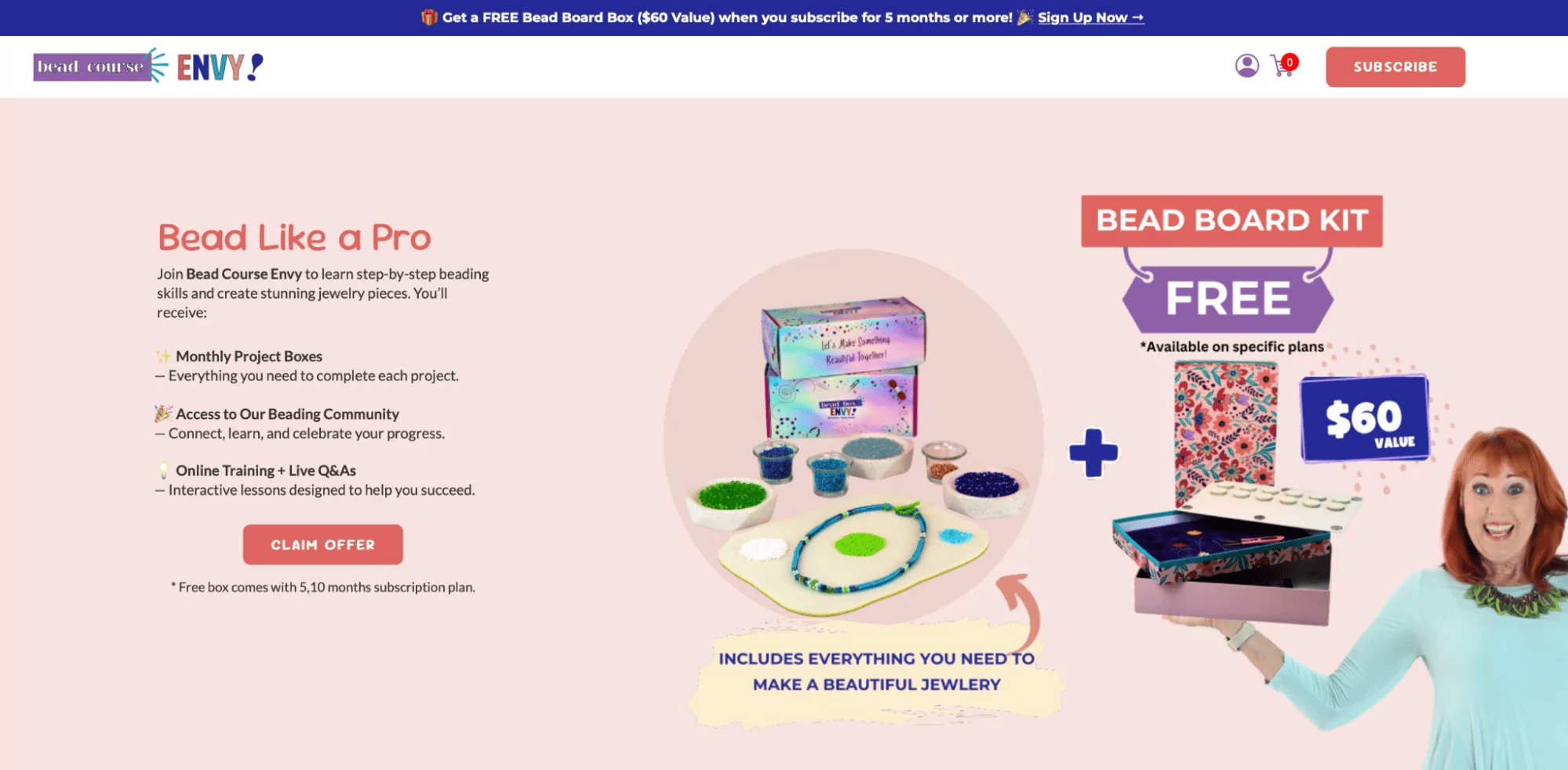
Bead Master Envy is an online training course and craft subscription for budding beaders. This subscription website knows exactly how to capture attention with its eye-catching pop-ups, design, and calls-to-action that easily convert new subscribers.
Ready to Launch Your Website?
Launching your own subscription website involves careful consideration and planning.
You must ensure a proper setup that includes trusted payment gateways, mobile-responsive functionality, and subscription billing options.
On top of this, you must cater to subscriber needs, such as offering free trials and hassle-free subscription preference changes.
The simplest route to achieving all this seamlessly is by choosing an all-in-one platform like Subbly.
With us by your side, you can get your business off the ground and benefit from built-in functionality to scale it effectively later on.
Want to learn more? Discover what we offer here.
Subscription Website Creation FAQ
Q: Can I turn an existing website into a subscription site?
A: Yes. If you already have a website, you can integrate subscription functionality using a platform like Subbly. This avoids rebuilding from scratch and lets you keep your existing design while adding subscription billing, customer accounts, and checkout flows.
Q: How long does it take to set up a subscription website?
A: It depends on the platform and how complex your business is. With Subbly’s AI website builder, you can get a functional subscription site up in hours rather than weeks. More advanced customization may take longer.
Q: Can I migrate from Shopify or WordPress to Subbly?
A: Yes. Many businesses move from plugin-based setups on Shopify or WordPress to Subbly because it’s built specifically for subscriptions. Migration support and tools make it easier to bring over products, customers, and billing plans.
Q: Do I need coding skills to build a subscription website?
A: No. Modern builders are designed to be no-code. You can customize design and content through visual editors, while the subscription logic, recurring payments, customer portals, renewals, are handled for you.
Q: What payment methods can I offer subscribers?
A: Most subscription platforms support major credit and debit cards, digital wallets, and sometimes region-specific methods. Offering multiple options reduces friction at checkout and improves conversion.


