5 Shopify Alternatives and How to Choose One
Opening your first online store? Think about the first order you’ll need to ship and the first offer you’ll want to change. Already on Shopify? Think about the job that keeps sending you back to an app, a developer, or a spreadsheet. Use that job to compare platforms. See what each can handle on its own and where you’d need an app, an integration, or extra help.
Use the shortlist to find two platforms worth trying. The profiles explain what you’d be taking on with each one. If you already have a Shopify store, you can jump to how to decide whether the move is worth it.
Which Shopify alternative should you try first?
- Subbly 2.0 if you want to build a branded store with an agent and change offers yourself after launch. If you rely on a marketplace or warehouse, check that Subbly can connect to the one you use and pass along the order details you need.
- Square Online if you sell at a Square register and want your website to draw from the same stock. If you need to keep a different register, confirm that sales in one place update stock in the other.
- WooCommerce if you already have a WordPress site you want to sell from, or if you want control over your hosting and store code. If nobody can own updates and backups, a hosted store is an easier starting point.
- BigCommerce if wholesale customers need company-specific catalogs, quotes, or payment terms. If buyers can share a catalog and use standard terms, check Shopify Basic first.
- Squarespace if you want to sell from a portfolio or publication. If you decide what to reorder by size or color, check whether its product reports give you that detail.
Opening your first online-only store with a few products? Start with Square Online if you mainly need to list them, take payments, and ship orders. Try it on Square Free with a Square web address. If you want to use a domain you own from day one, look at Square Plus.
If you want to arrange the store pages yourself, take a look at Wix’s drag-and-drop store builder. You can draft the shop for free. Before customers can order, you’ll need a Wix plan that accepts payments. If you expect to build new offers and change how shoppers buy, put Subbly on your shortlist. Use the same job to choose between your finalists.
What does your store have to do from day one?
Picture an order from the place you expect to sell most. How will the customer pay? Who will ship the order, and where does the tracking need to go? A founder shipping from home might need a local payment method and a way to print a label. A store that already sells on a marketplace might need every order to reach its warehouse before that day’s pickup.
If you sell on a marketplace, ask what happens when an order comes in. Will the warehouse get what it needs to ship it? Will the sale reduce the stock shown on your site? Once it ships, will tracking go back to the marketplace? Find out which steps the platform handles and which need a connection someone will have to set up and maintain.
What makes each platform worth choosing?
Subbly 2.0 for a store you want to keep shaping
Subbly 2.0 is an ecommerce platform with an agent built in. You can describe the store you want, review what the agent builds, and use the same platform to sell and manage orders. More than 20,000 merchants have built on Subbly since it launched. Today you can use it to build a store for one-time products, subscriptions, or both.
A theme gives you a layout and a set of sections you can rearrange. If you want a gift-set page with a layout beyond those sections, someone may have to write a new one. A buying option your store doesn’t already support can also mean adding an app or hiring a developer. In the past, getting a store built around your brand could mean hiring an agency and spending $3,000–$15,000. With Subbly, you can build it with your agent for an estimated $100–$250 in agent credits.
Say you sell coffee and mugs. For the holidays, you pair them in a fixed gift bundle. Ask your agent to draft a page and create a discount for the set. Check which products the discount covers and when it expires, then see how the offer looks on your phone in the site preview.
The set starts selling, and shoppers ask whether they can add a message. You want them to leave it during checkout and have it reach the person packing the gift. Tell your agent where the field should go. On Max, your agent can make that kind of change through Subbly’s custom checkout plugin. In the short Razor Club demo below, watch how the editor points the agent to the exact part of checkout they want to change.
To try this with your own products, use the first prompt to draft the offer and the second to brief the checkout change. The same brief gives you a way to compare how much work it would take on another platform.
Two prompts to try with your own offer
Replace the bracketed details with your product and delivery cutoff.
Build the offer
Draft a mobile-first product page for my [gift bundle]. Show what’s included, who it’s for, and the last day to order for holiday delivery [date]. Use my existing product photos and show me the draft before publishing.
Change it after launch
For orders containing [gift bundle], add an optional gift-message field at checkout. Show me where the packing team will find the message and flag any extra mapping our warehouse needs. Leave the change in preview so I can review the field before running a test order.
The gift message has to reach whoever packs the order. If a warehouse packs for you, check whether its connection can pass the message along with the order.
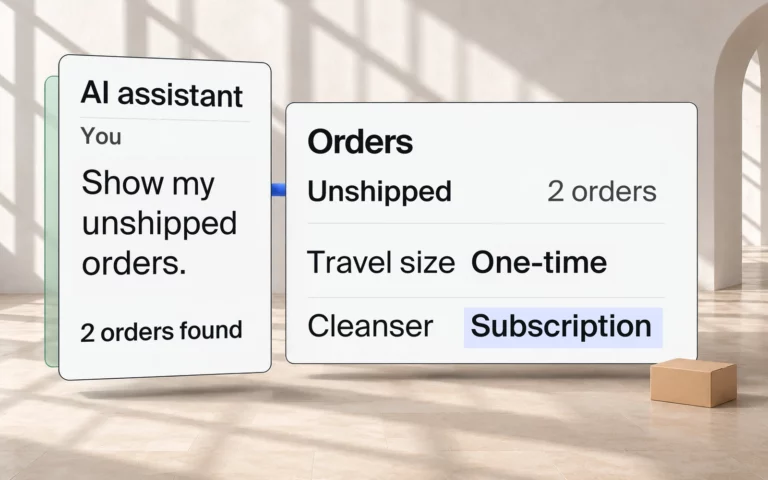
If connecting your warehouse takes custom work, ask who will build and maintain the connection. Subbly describes how its agent can help build a connection using your provider’s API documentation. Once the store is running, a compatible AI assistant can also help your team look up individual orders.
Square Online for a shop with a counter and a website
Square Online is a website and checkout that share a product catalog with Square’s point of sale. If you already ring up sales there, the benefit shows up the day you sell the last blue mug at the counter. You want the website to show that it’s out of stock before another shopper pays for it. That’s the value of keeping the counter and website in the same item library.
That same setup matters when customers collect orders in person. The order has to reach the right location, and staff need to be able to find it when the customer arrives. Square lets you set pickup sites and hours by location. When you’re deciding what to reorder, you can check net sales by item after discounts and refunds. Factor in a paid plan if you want to connect a domain you own.
Shopify POS is worth comparing if you’re already on Shopify and your online store has a marketplace or shipping connection you want to keep. Ask how Shopify POS handles stock at your locations.
WooCommerce for selling from a WordPress site you control
WooCommerce is an open-source plugin that turns WordPress into an online store. You choose where it’s hosted, and your team or developer can work on the store code. Imagine you run a sewing site that gets search traffic to its tutorials. A reader can find a guide to making a bag and buy the pattern from the same site. You can build that experience around the pages people already visit and use WooCommerce’s download tools to deliver the pattern after checkout.
That control comes with a job. Someone needs to own backups and try updates on a copy of the store so customers can still pay and download the pattern. If you mainly want to take orders from a few existing pages, compare that upkeep with embedding Subbly checkout in the site you already have.
BigCommerce for wholesale with company-specific terms
BigCommerce is a hosted ecommerce platform. Its B2B Edition adds tools for selling to companies, including buyer accounts and quotes. Suppose one retailer pays a negotiated price for a case of coffee, while another buys the same case on different terms. Ask to see both buyers sign in and get the right price. Follow the buyer’s quote through to purchase, then ask BigCommerce to price that setup.
If your wholesale buyers can share a catalog, Shopify Basic is worth checking. The decision changes when catalogs need to be assigned directly to individual companies, which requires Shopify Plus. Take your biggest buyer’s actual terms to both platforms so you can see how much of the process your team would still handle manually.
Squarespace for a portfolio or publication that also sells
Squarespace is a hosted website builder with a store built in. Say a photographer opens a limited print run. A customer finds an image in the portfolio and can buy it on that page through a Squarespace product block. That’s a good fit if the same person looks after the portfolio and the shop.
If you offer the same print in two sizes, Core’s Sales by product report groups the sizes under one product. If you decide what to reprint based on sales by size, find out how you’d get that detail before choosing. Core also makes sense if you need more than two contributors. If you expect to redesign how customers buy as often as you update the portfolio, try the next offer in Subbly too and compare the work.
If one-time buyers start asking for a subscription
Say customers want the same coffee delivered every month. The first sale is only part of that job. What happens when someone wants to skip a delivery, their payment fails, or they decide to cancel? Subbly started in subscriptions and lets you sell one-time and recurring products in the same store. If you expect to sell both, check how you’d handle a failed renewal or give someone a reason to stay using Subbly’s subscription retention tools.
For a real example of selling both ways, look at how Hatch Coffee separates its one-time coffee shop from its recurring delivery options. Follow both paths and see how the subscription page explains what shoppers can choose and how often the coffee will arrive.
If your Shopify store already works for one-time sales, compare what adding a recurring offer would involve with a Shopify subscription app. If recurring revenue will be central to the business, use the guide to choosing a subscription ecommerce platform to compare renewals and the customer portal in more depth.
What to prove before you commit
Try the work you’ll do every week
Give your two finalists the same product and the change you expect to make most often. If your trial lets you create a test order, place one on a phone and follow it through fulfillment. Then make the change. If you only have a preview, ask the provider to show you any steps it leaves out. For instance, Subbly’s checkout preview lets you see how checkout works. You’ll need a demo or a test setup to see where the order goes afterward.
If returns matter to your business, see what a partial refund does to stock and sales reporting. On Subbly, check whether you can reconcile it using order and transaction exports.
For each finalist, write down who can do the work and what they need to do it. Count the plan, fees, add-ons, agent credits, and any help you’d pay for. Ask for a sample export of products, customers, and orders so you know what you could take with you later.
If you already sell on Shopify, would a move solve the problem?
Try the smallest fix that would meet your needs. If all you need is a message from the shopper, Shopify’s order note in the cart might solve it. If you need an app extension inside the information, shipping, or payment step, check which checkout extensions require Shopify Plus and ask to see how the same change would work on Subbly. The Subbly vs. Shopify comparison goes deeper into how the two work.
Stay on Shopify if that fix solves the problem you keep running into. A move is worth the work when a trial or demo shows that the alternative solves the recurring problem and still handles the payments, orders, and integrations you depend on. For instance, if you spend every week copying orders into a warehouse system, see whether a test order gets there intact without that step.
Once you’ve found an improvement worth moving for, take a sample of your catalog, customer records, and old orders and check what the new platform can import. Start with what Shopify lets you export. Add redirects, reviews, and any data stored in apps. If you have active subscriptions, confirm with the new platform and your processor which saved payments can move. Test the next charge date, amount, and fulfillment for a small group before moving everyone.
Subbly’s migration team can move products and customers. Export past Shopify orders for your records. That distinction gives you a starting point when you work through what will move with your store.
Nicole Bannell had a week to get Nicole’s Jungle set up when she switched from Shopify. With help from Subbly’s migration team, she says, “we managed it in 6 days.”
If both platforms can run your store
Give more weight to the job you can least afford to get wrong. If you sell the same stock at the counter and online, start with the platform that kept stock accurate in both places and got pickup orders to the right staff. If both can take payments and get orders out the door, choose based on the work you’ll do most often. For a brand that launches offers every month, that could mean picking the platform where your team could make the change without waiting for outside help.
If both handled that job equally well, compare what each would take to run for a typical month. Include the plan, apps, paid help, and your team’s time. Choose the one that takes less of your team’s time at a cost you can afford.


Subbly – the purpose built platform for starting and growing subscription businesses