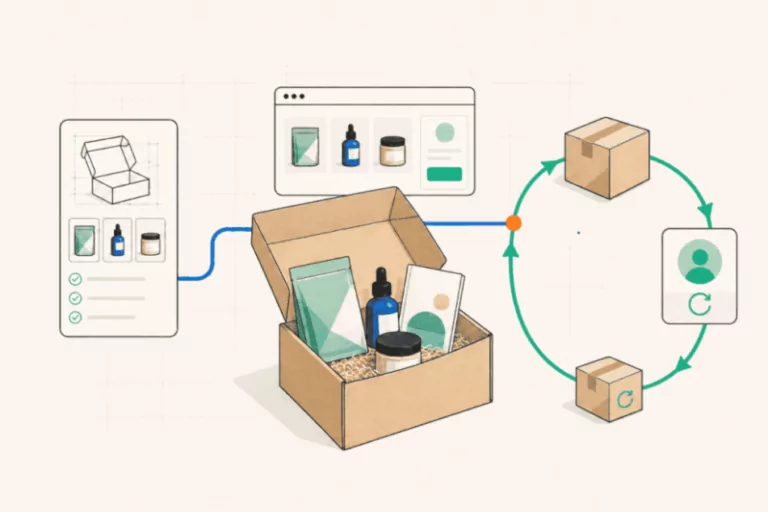
Which ecommerce platforms can you manage with AI agents?
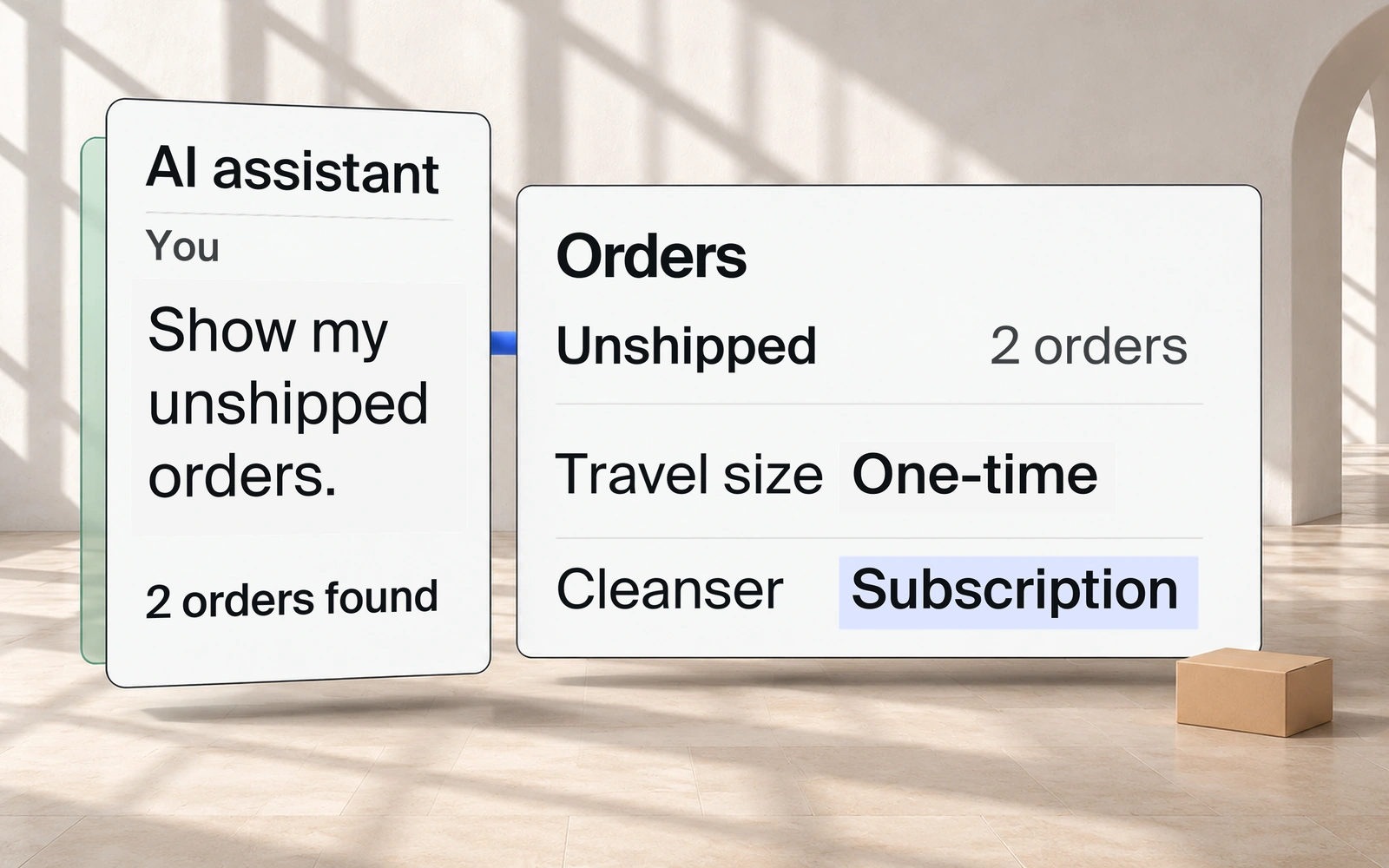
You’re launching a new cleanser. You want a product page that feels like your brand and a travel pouch customers can add at checkout. Getting that set up once meant hiring a designer or developer, or working within the limits of a template.
With the right ecommerce platform, you can now describe what you want to an AI agent and have it build the page or change the checkout. You can also get help with the work that follows, such as preparing a packing list once orders come in. So which platforms let you work this way, and how much can their agents take on?
You might work with an agent built into the platform, or connect an assistant you already use, such as ChatGPT or Claude. Some platforms let you do both.
One way to connect an external assistant is through MCP, short for Model Context Protocol. It lets that assistant use tools the platform makes available, such as looking up orders or updating products. The assistant does the work; MCP provides the connection.
This guide compares seven ecommerce platforms by the work their agents can do, the setup they need and where you may still need other tools or technical help. Whether you sell one-time products, subscriptions or both, you’ll see which options fit your business and what’s possible with a store you already run.
Which platforms should you consider?
Start with the work you want agents to take on, whether that’s building a new store, updating products or managing orders. If you already have a store, check what your current platform can do before considering a move.
| Platform | A good fit if… | How AI can help |
|---|---|---|
| Subbly | You want agents to help build and run your store, whether you sell one-time products, subscriptions or both. | Your Subbly agent builds your store and updates products and offers. Connected assistants can update stock, prepare packing sheets and analyze store records. |
| Shopify | Your priority is keeping products and orders up to date. | Use Sidekick inside Shopify for product and order work, or the Claude connector for product changes and order lookups from chat. |
| WooCommerce | You want AI help for a store built on WordPress. | Draft product listings and preview price changes with WooCommerce AI. External MCP connections need their own setup; hosting and plugins still need maintenance. |
| Wix | You want help getting a storefront and product pages ready to sell. | Aria helps build the storefront and prepare product pages. An external assistant can use store tools through a separate MCP connection. |
| Fourthwall | You sell merchandise, downloads or paid memberships to an audience. | Eli helps with product changes, pricing and promotions. External assistants can also connect through MCP. |
| BigCommerce | You want help reviewing store data and updating order statuses. | Ask Companion about your store data and approve order-status updates. To connect an external assistant through MCP, the store owner must enable the beta and give the connecting user the right permissions. |
| commercetools | You have a development team building a custom store. | Your team chooses which product and order tools an agent can use through Commerce MCP. |
Subbly publishes this guide and is one of the platforms compared. This comparison is based on official product and developer documentation reviewed on November 3–6, 2026.
You decide to add a travel-size cleanser alongside the full-size bottle. You ask an agent to set up the new size with its own price and stock. Before it goes on sale, you check how the two sizes appear on the product page.
Then orders start coming in: full-size bottles, travel sizes and purchases that include the pouch. Your packing team needs a list showing what goes into each parcel and where to send it.
Can the same agent help with both jobs? That depends on the platform and the tools it makes available. The next comparison shows which product and order tasks you can hand over, and which agent or connection you’d use.
Which platforms let an AI assistant manage products and orders?
| Platform | Product tasks | Order tasks |
|---|---|---|
| Subbly | Use your Subbly agent or an assistant connected through Subbly MCP to create or update products, plans and bundles, and manage stock. | Look up and update orders, record shipments or cancel orders through Subbly MCP. |
| Shopify | Create or edit products with Sidekick or the Claude connector. Claude can also check and update stock counts. | Use Sidekick to prepare changes to items, quantities and discounts for review. The Claude connector can look up orders but cannot change them. |
| WooCommerce | Draft product listings with WooCommerce AI. Use the MCP Adapter to create, update or delete products. | Look up orders, change their status and add notes through the MCP Adapter, currently a developer preview. |
| Wix | Prepare product pages with Aria. Update supported product details and stock through a separately configured Wix MCP connection. | Look up orders or make selected updates, such as changing shipping addresses, through MCP with the required permissions. |
| Fourthwall | Edit product details and prices with Eli. Its MCP tools also support product variants, bundles and digital-product creation. | Through MCP, look up orders, refund or cancel eligible orders, update shipping addresses, and edit tracking for orders you ship yourself. |
| BigCommerce | Browse products with Companion. The MCP beta can create hidden products, update selected details and prices, and change stock counts. | Approve status updates with Companion. The MCP beta can look up orders and issue refunds; order results omit shopper contact details. |
| commercetools | Look up, create and update products, and manage stock, through Commerce MCP tools enabled by your team. | Look up, create and update orders through the tools your team enables. |
Check both columns for the agent you plan to use: product changes and order updates may be supported through different routes.
These are examples from official documentation. Available actions depend on your permissions, store setup and chosen agent or connection.
How each platform helps you build and run your store
Your next change could be a checkout offer, a subscription option for the cleanser or clearer delivery choices in the customer portal. The platform you choose will shape how much of that work you can ask an agent to handle, and where you’ll need an editor, extra tools or technical help.
Here’s what to consider for each platform, from its agent capabilities to setup, maintenance and costs.
Subbly: build and run your store with agents
Describe what you want to build or change, then refine it with your Subbly agent. It can build your storefront, checkout and customer portal, and work on the products, plans, bundles, stock and coupons behind them.
For the skincare business, the same cleanser can be sold once, in a gift bundle or as a replenishment subscription. Subbly’s subscription foundation brings plans, repeat deliveries and customer choices into that store. One-time buyers also get order history, receipts and delivery tracking.
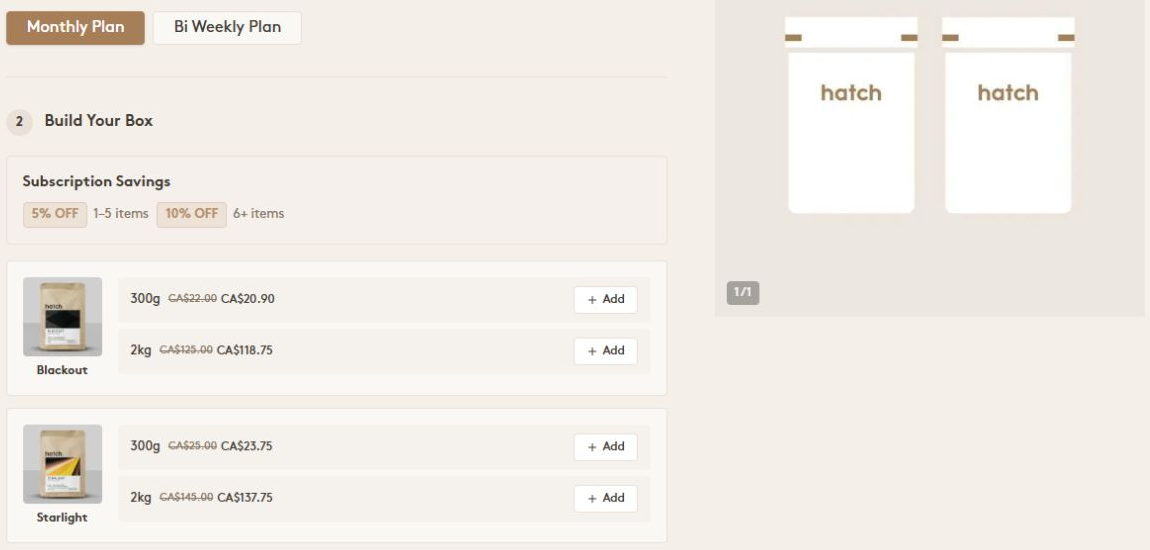
What customers need to choose will depend on what you sell. At Hatch Coffee, featured in Subbly’s store gallery, that means picking a delivery plan and putting together a coffee selection. For a skincare brand, it could mean choosing a routine and how often to replenish it.
Connect an assistant to update stock, prepare orders, change the products in a subscription, look up customers and payments, or handle supported invoice changes. An assistant such as Claude can turn store records into packing sheets, dashboards or a report on cancellations.
A coding agent can also build a custom storefront using your products and plans. You’ll need to host and maintain it. MCP does not yet edit Subbly’s hosted website.
Plans start at $79/month in USD on monthly billing. Max, at $199/month, adds customizable checkouts and customer portals. Platform transaction fees and payment processing are additional. Agent allowances and model access vary by plan, with extra credits available to buy; any external assistant subscription is separate. MCP is included on every plan, with plan-based limits.
Shopify: manage products and orders with AI
Sidekick works inside Shopify’s admin, where it can help you manage products and orders, explore sales data and make theme changes in the editor. If a customer asks to add a pouch to an order, Sidekick can prepare the edit for you to review and save. For checkout changes, it guides you in the editor and you make the changes yourself.
The Claude connector lets you make product and stock changes from chat. Its order access is read-only, so use Sidekick or the admin for order edits. Shopify adds no fee for the connector; your store plan and any Claude subscription still apply.
For subscriptions, check how the assistant works with Shopify Subscriptions or the other app managing your renewals. Editing an order already placed does not necessarily change the customer’s next subscription order.
WooCommerce: manage your WordPress store with AI
With WooCommerce AI, you can draft product listings, ask questions about your store and review changes inside WordPress admin. For example, request a preview of a price change, check which products it affects, then approve it.
You can also connect an external assistant through MCP. The connection options, including the developer-preview MCP Adapter, are covered below.
Budget for hosting, any paid plugins and ongoing site maintenance. If you sell subscriptions, check which actions the assistant supports through your chosen subscription extension.
Wix: build your storefront and product pages
Aria can help you build the storefront and prepare product pages. It can also help you review search performance; connect your site to Google Search Console to use that data.
An external assistant can work on products, stock and selected order details through Wix MCP. This route needs separate configuration, so factor in setup help if you don’t have someone technical on the team. If you’ll offer replenishment, verify the subscription changes you need as well.
Fourthwall: sell merchandise, downloads and memberships
Fourthwall brings merchandise, downloads and paid membership content into one store. A creator could sell a T-shirt alongside access to member-only videos.
Eli helps with product changes, pricing, promotions and store analytics. It proposes changes for you to approve before applying them. Eli is included in supported regions, with fair-use limits.
Use an external assistant through MCP for supported shop tasks and membership reports. Memberships carry a 5% platform fee, plus payment processing. For a box or replenishment business, check how you would schedule deliveries and let customers change them. Paid content access and recurring physical deliveries need different controls.
BigCommerce: review store data and update order statuses
Companion lets you ask about store data, browse products, see charts and approve order-status changes from the BigCommerce control panel. It is included with your store and needs no separate installation.
The Store Management MCP connection for external assistants is in beta. The store owner must enable it and give the connecting user the right permissions. Order results from that connection exclude shopper contact details, so they won’t provide the delivery addresses needed for a complete packing list.
commercetools: build a custom store with a development team
With Commerce MCP, your development team can choose what an agent may do and which product, order or customer details it can see.
You can use a connection hosted by commercetools or have your developers run it. Budget for building and maintaining the store, checkout and integrations alongside platform costs.
For subscriptions, check how your implementation will handle billing, renewals and changes customers can make. The documented tools for recurring orders are part of that assessment.
Connect an AI assistant to your store
You may already use ChatGPT or Claude to plan launches, review feedback or prepare documents. Connecting that assistant to your store lets you bring supported product and order tasks into the same conversation. The next step is to check which connection your platform offers, what it can access and how to set it up.
Which platforms can you manage through MCP?
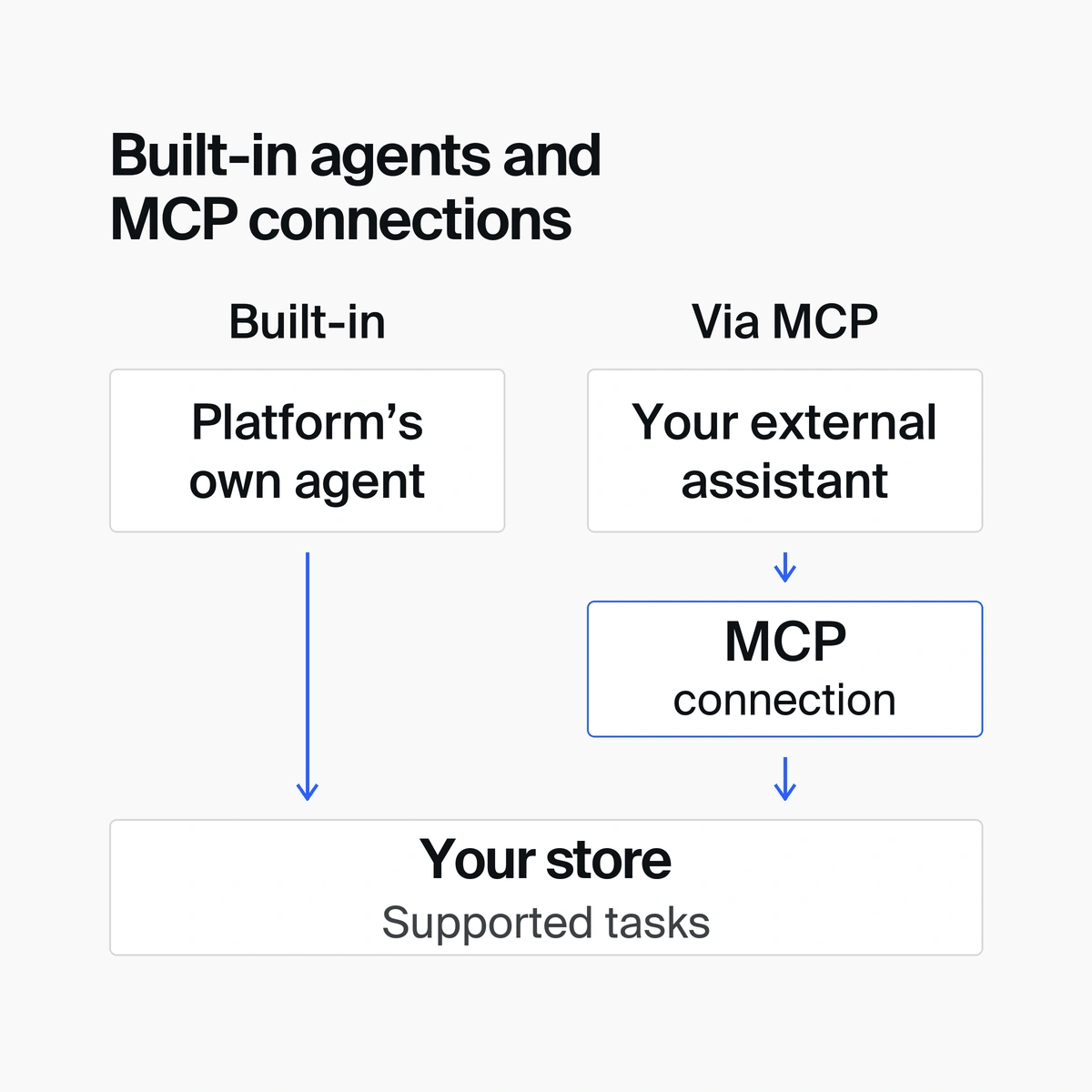
Choose a connection designed for managing a store. BigCommerce’s Storefront MCP, for example, helps shoppers find products, fill a cart and reach checkout. Use its separate Store Management MCP for work on the store’s products and orders.
Shopify’s official Claude integration is included for comparison; its setup is specific to that assistant.
| Connection | Getting connected | Subscription access | What to check |
|---|---|---|---|
| Subbly MCP | Included on every plan; connect with a private API key. Limits vary by plan. | Create plans and bundles; look up subscriptions, change their products or bundle choices, cancel them or undo a cancellation. | The key gives broad permission to read and change store data. Review the assistant’s approval controls. |
| Shopify connector for Claude | Connect from Claude and approve access within your Shopify permissions. | Verify support for the app handling your subscriptions. | Order access is read-only. |
| WooCommerce: AI plugin MCP server or MCP Adapter | AI plugin: connect your store and user account to WordPress.com. Adapter: authorize a WordPress user; developer preview. | Check which actions are supported through your subscription extension. | Both routes need configuration. Adapter tools do not automatically cover every plugin. |
| Wix MCP | Configure the assistant, choose your site and grant the permissions needed. | Verify the subscription actions you need through your chosen setup. | Documented order updates cover selected details, such as addresses. |
| Fourthwall MCP | Authorize your Fourthwall account; your account permissions apply. | Membership reports; verify any changes to member subscriptions. | Tracking changes cover orders you ship yourself. Refunds and cancellations depend on eligibility. |
| BigCommerce Store Management MCP | Early-access beta. The store owner enables it, then gives each connecting user the right permissions. | Subscription changes are not confirmed in the reviewed guide. | Order results omit shopper contact details, including delivery addresses. |
| commercetools Commerce MCP | Hosted by commercetools or run by your developers, who configure tools and permissions. | Tools for recurring orders; verify billing, renewals and customer changes. | Your team still builds and maintains the store, checkout and integrations. |
The subscription notes apply to the named connection. “Not confirmed” means the reviewed guide did not establish that action; another route may support it. This comparison is based on documentation, without hands-on store testing.
For Subbly-hosted storefront, checkout and portal changes, use your Subbly agent. MCP does not yet configure funnels, automations, failed-payment recovery or referrals; set those up in the admin. Connected assistants can analyze raw orders and subscriptions through MCP, but cannot retrieve Subbly’s built-in analytics reports.
Set up and check your connection
Follow the official guide for your chosen route, then start with one small job:
- Choose an assistant and a connection supported by your platform.
- Connect the correct store and review the access you’re granting.
- Ask for a lookup you can check, such as a list of published products.
- Ask the assistant to propose one small supported change. Review it before approving, then check the saved result in your admin.
Subbly: Choose your assistant on the agents page and follow its setup guide. You’ll need a private API key from your Subbly admin.
WooCommerce: Follow the AI plugin’s MCP guide for the connection details generated in your store’s Setup screen. Your store and user account must be linked to WordPress.com. The separate MCP Adapter uses a WordPress user and Application Password for remote connections. Have the person maintaining your site set up your chosen route.
Fourthwall: Use its ChatGPT and Claude app for a guided chat experience, or the developer MCP connection for code editors and other compatible clients. The app is free; check the assistant’s plan requirements.
Shopify: Its local CLI connector is a separate option for developers.
Asking an assistant to “only look” does not change the access you granted. Check permissions in the connection itself, and keep unsupported tasks in your store’s admin.
How to choose the right ecommerce platform for you
Two platforms might both let you update products and find orders. The better fit is the one that handles your most important jobs with a level of setup, cost and ongoing work you can manage.
Pick two platforms from your shortlist and compare the same three jobs on each. For example: publish a product, add a checkout offer and prepare a packing list. If you can’t try the jobs yourself, use official examples or ask for a demonstration.
-
Check that the platform fits how you sell. Include one-time products, recurring deliveries, digital goods or paid access, as relevant to your business. Confirm your requirements for products and variants, payments, shipping, taxes and essential integrations. Rule out any option that cannot meet an essential requirement.
-
Compare the agent or connection you would use. Assess each job through the platform’s own agent or your preferred external assistant. If completing the work needs more than one, note where you would switch between them.
-
Note what your team still needs to finish. Check the result of each job and note what you would still need to review, copy, publish or update yourself. For the packing list, look for products, quantities and delivery addresses.
-
Include setup and maintenance. Decide who will configure connections, handle updates and step in when an agent cannot finish a job. For a separately hosted custom storefront, include hosting and upkeep too.
-
Work out the full cost. Separate initial setup costs from ongoing charges. Include the platform plan, any extra agent credits, external assistant subscriptions, apps and maintenance. Add payment processing and platform transaction fees where they apply. Compare both platforms at the same expected sales volume.
If recurring sales are central, give payment dates, delivery schedules and customer self-service extra weight. Our subscription-platform guide covers those requirements in more detail.
If you’re already selling, include your current platform in the comparison and weigh the effort and disruption of moving. Use that comparison to choose the platform and agent setup you can realistically run.
Two examples to help you choose
Consider two versions of the skincare business: one choosing its first platform, the other already selling on Shopify.
Choosing a platform for a new store
The founder wants one store for individual cleansers, gift bundles and replenishment subscriptions. They want to describe changes to an agent, from adding a checkout offer to making delivery choices easier to find in the customer portal.
Subbly brings those sales models into one platform. Their Subbly agent can build and change the storefront, checkout and portal, and work on products, stock and offers. A connected assistant can help prepare orders and change the products in a subscription.
On Shopify, the founder can also sell individual products and subscriptions, with Shopify Subscriptions letting customers manage their recurring orders. Sidekick can help with product and order changes, theme editing and sales reports. For the checkout changes, it can walk the founder through the steps, which they complete in the editor.
For this founder, Subbly is the stronger fit: they want an agent to make changes across the storefront, checkout and customer portal, with subscriptions built into the platform. Include Max, which adds checkout and portal customization, in the cost comparison.
Deciding whether to move from Shopify
Now suppose the business already runs on Shopify. The decision depends on whether its current setup still supports what the founder wants to do.
Stay if the current setup covers the work. For product and order help, start with Sidekick. If a customer wants to add a pouch after ordering, it can prepare the change for the founder to review and save. The Claude connector also provides product and stock help from chat, with read-only order access. If these routes cover the required jobs, and the store’s checkout, subscription experience and integrations work well, staying is a sensible choice. You may still make some changes yourself, but that can be less work than moving the business.
Consider a switch if the current setup is holding the business back. Suppose replenishment becomes central to sales, but routine checkout and subscription-portal changes keep requiring paid help. The founder wants an agent to handle more of that work. Assess whether Subbly’s native subscription tools and agents can meet those needs more directly, alongside individual product sales and day-to-day store operations.
First check whether a simpler change to the current Shopify setup would solve the problem. Then compare the complete cost of Subbly, including Max where needed, with the current platform, apps and maintenance. Confirm the migration path for active subscriptions and payment details, including billing schedules and essential integrations. A move should offer enough practical benefit to justify its cost and disruption.
Build and run your store with Subbly’s agents
With Subbly, you can describe the store you want to build and keep shaping it as your business grows. Your Subbly agent can build and change your storefront, checkout and customer portal. Connect an assistant such as ChatGPT or Claude to help with the day-to-day work of running your store.
That help comes with a platform built for the ongoing demands of subscriptions, including plans, delivery schedules and customer self-service. You can sell individual products, subscriptions or both in the same store, with the tools for recurring sales built in.
Think of one thing you want to build or improve, whether it’s a checkout offer or an easier way for customers to manage their deliveries. Explore Subbly’s agents to see how you can put them to work in your store.


Subbly – the purpose built platform for starting and growing subscription businesses