


Subbly Customer Portal
Your customer portal, built around your subscribers. Just describe it.
Subscribers skip, swap, upgrade and pause on their own, in a portal that looks like your brand. Want an add-on offer before each box ships, a members’ area, or a better way to pause? Tell your agent. No plugins, no portal template, no developer.
3 days free, then $1/wk for 4 weeksNo card needed14 days freeCancel anytime


 20,000+ merchantson Subbly over 11+ years
Welcome back, Aiko
Your subscriptionThe Hokkaido box
Next charge 1 November
For illustrative purposes only.
Pick a change. Watch your portal update.
In your store, you describe any change in your own words.
Your customers see your checkout once. They see your portal every month.
On most platforms the portal comes from a subscription app: a generic account page with your logo on it. It’s where subscribers manage the thing they pay you for every month, and it’s often the least designed page you have.
Can’t find it, so they email
“How do I skip a month?” is a support ticket you didn’t need.
Can’t change it, so they cancel
When the clearest button on the page is Cancel, people press it.
Looks like an app
The brand they subscribed to disappears at the moment they decide whether to stay.
Subscription #48213
| #10482 | $49.00 | |
| #10311 | $49.00 | |
| #10177 | $49.00 | |
| #10036 | $49.00 |
Edit addressPayment methodSkipChange frequency
Design the portal around what your subscribers ask you.
- Subbly agentTurn our five most asked support questions into things subscribers can do themselves.1
Describe it
“Turn our five most asked support questions into things subscribers can do themselves.” Your agent already knows your plans and products.
- Mobile Desktop Viewing as a Voyager subscriberPreviewSkipPauseAddressCardAdd to next box2
See it as a subscriber
Check the change on mobile and desktop before anyone else sees it, and log in as one of your subscribers to see exactly what they see.
- Tabi Snack Co. Live
- Skip next box
- Pause
- Change address
- Update card
- Add to next box
3Publish it
One click and every subscriber has it. Change it again whenever you like.
Cents in credits, not hours on an invoice
Most changes cost cents, and new stores get free credits to start. A developer bills by the hour for the same change.
If your subscribers need it, describe it.
Every card below is one sentence away.
Click a part of the portal to see what you can build.
Brand
The same fonts, photography and voice as the rest of your store.
Example request
Brand
The same fonts, photography and voice as the rest of your store.
“Make the portal match our site and use our tone on every button.”
Choose what’s next
Subscribers change what goes in their box, or switch to another product you offer.
“Let Voyager subscribers choose three of their snacks each month.”
Self-service
Skip, pause, change plan or frequency, and update the address or card without writing in.
“Put skip, pause and change address right under the next box.”
Upgrades
Plan upgrades and prepaid plans offered to the right subscribers.
“Offer Explorer subscribers Voyager, with the first month at the Explorer price.”
Add-ons
One-off extras added to the next box, offered when they’re most likely to say yes.
“Offer our gift tin as an add-on to the December box only.”
Members’ area
Content only active subscribers can see, which makes logging in worth it.
“Add this month’s tasting notes, only for Voyager subscribers.”
Preferences
Survey answers like tastes, sizes and allergies, kept up to date by the subscriber so every box stays personal.
“Let subscribers change their spice level any time.”
Referrals
A referral link with share buttons, right in their account.
“Show the referral link after someone rates their box five stars.”
Save offers
The right alternative shown before someone cancels, matched to their reason.
“Ask why they’re leaving and show an offer that matches the reason.”
And much more
Order history, receipts, account credit, and anything else you can describe.
“Ask for each subscriber’s birthday and add a treat to that month’s box.”
Don’t see yours? Describe it in your own store.
Build my first draftFewer “how do I…” emails.
Every question a subscriber can answer in the portal is one your team doesn’t have to. Find the five questions you answer most, make sure the portal answers them, and check your inbox again next month.
“I love that Subbly is incredibly complex in the back end but is very customer friendly in the front end, is incredibly easy for customers to check out and manage their accounts which increases conversion and reduces amount of customer service related emails.”
 Ivana QuesadaFounder, Comadres Mail
Support inbox
Customer portal
Skip next box?Skip next boxChange delivery addressChange addressUpdate my cardUpdate cardPause for summerPauseCan I add matcha?Add to next boxSmall changes here move your MRR.
A subscriber who skips instead of cancelling is still a subscriber. An add-on picked in the portal is revenue without a new customer. An upgrade offered at the right moment raises what each subscriber is worth. Each change is a message, so you can try a new one every week and keep what works.
“Subbly has definitely helped us improve member retention, drive one-off revenue, and increase upsell conversions…”
Tom TryonCo-founder, VinoMojoYour brand shouldn’t stop at checkout.
The brand someone subscribed to should be there when they manage the subscription: your fonts, your photography, your words on every button, and something worth logging in for, like this month’s recipes or a note from you. No two Subbly portals look alike, because each one is designed from a description of the business behind it.
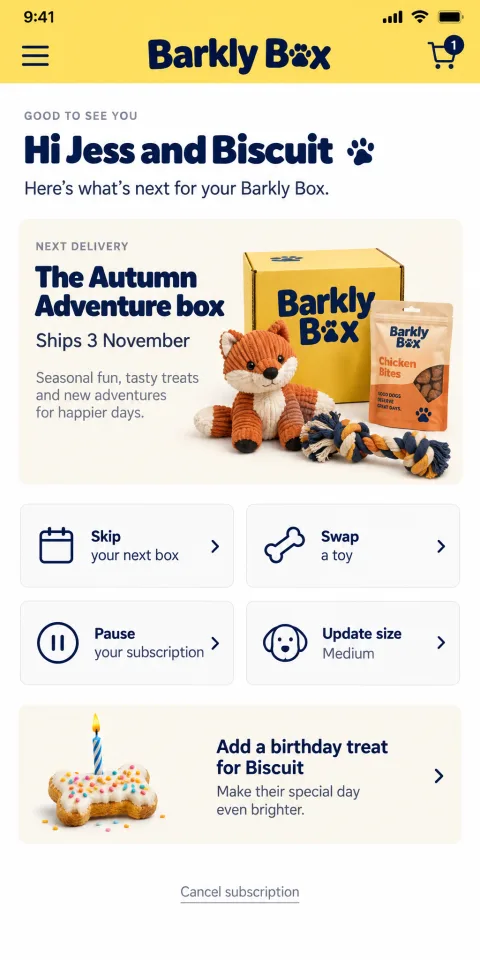
Barkly Box
Pet box
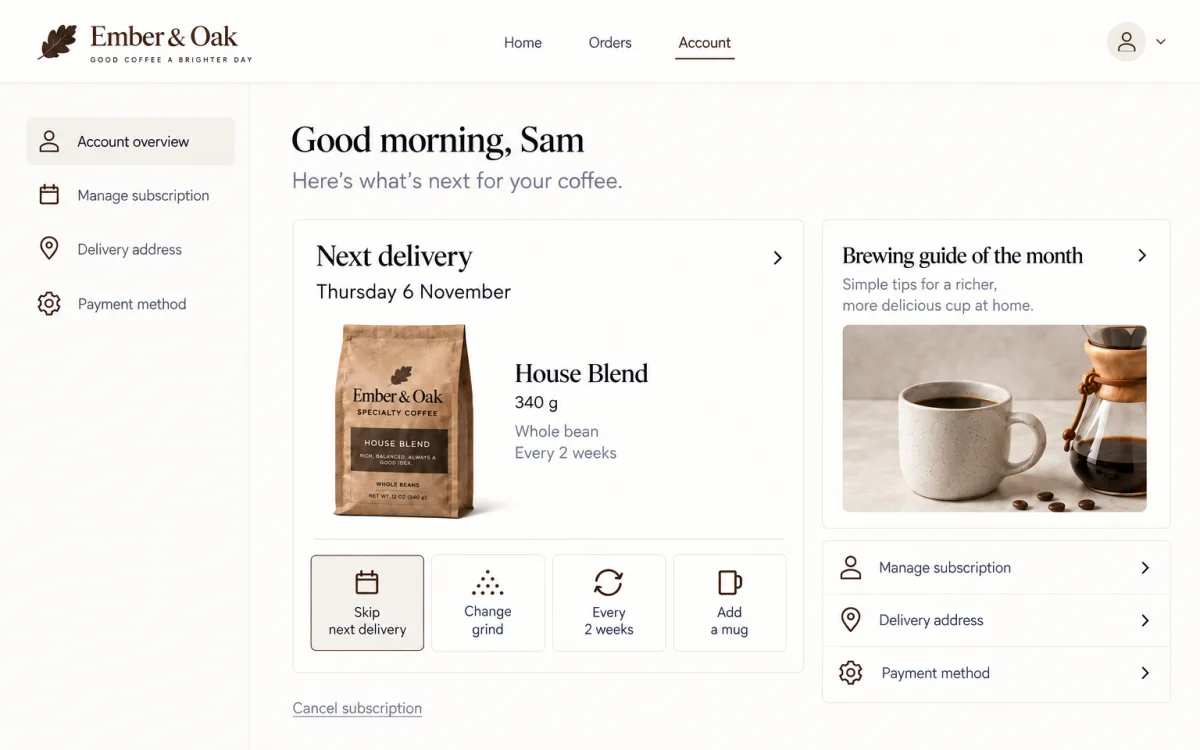
Ember & Oak
Coffee replenishment
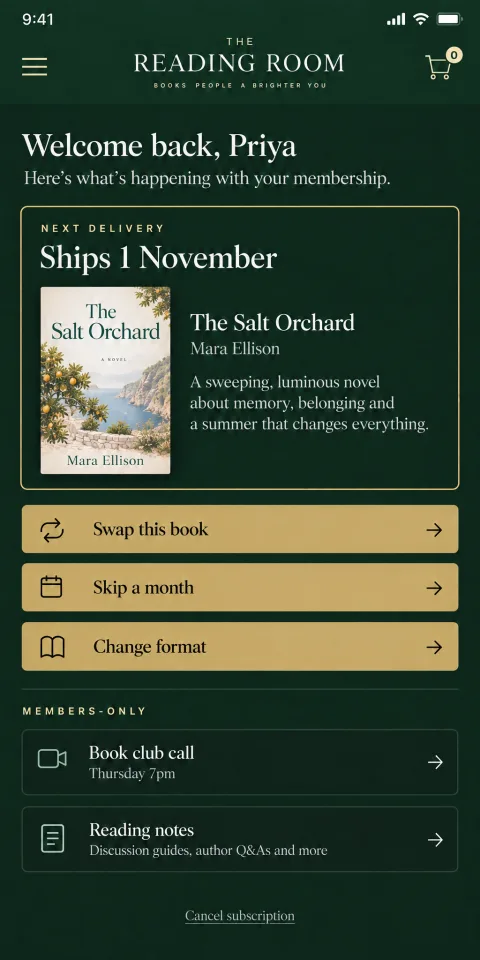
The Reading Room
Membership
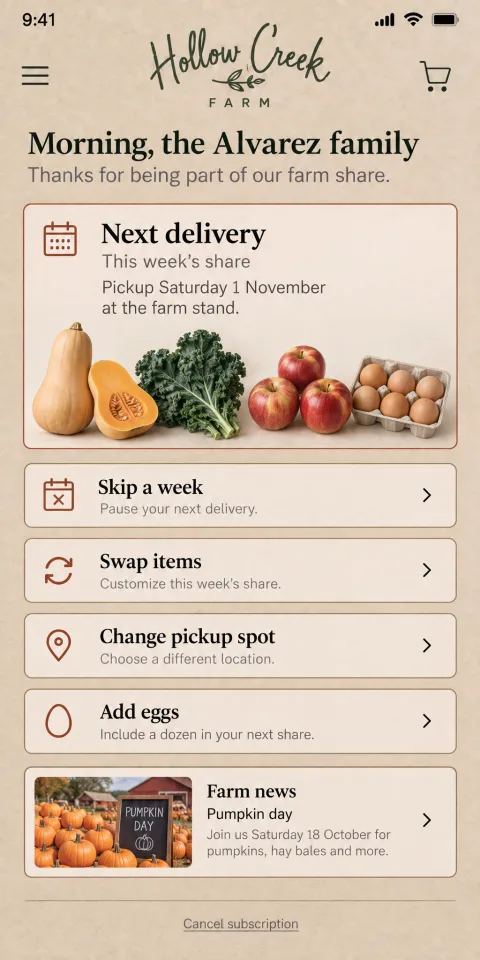
Hollow Creek Farm
Farm share
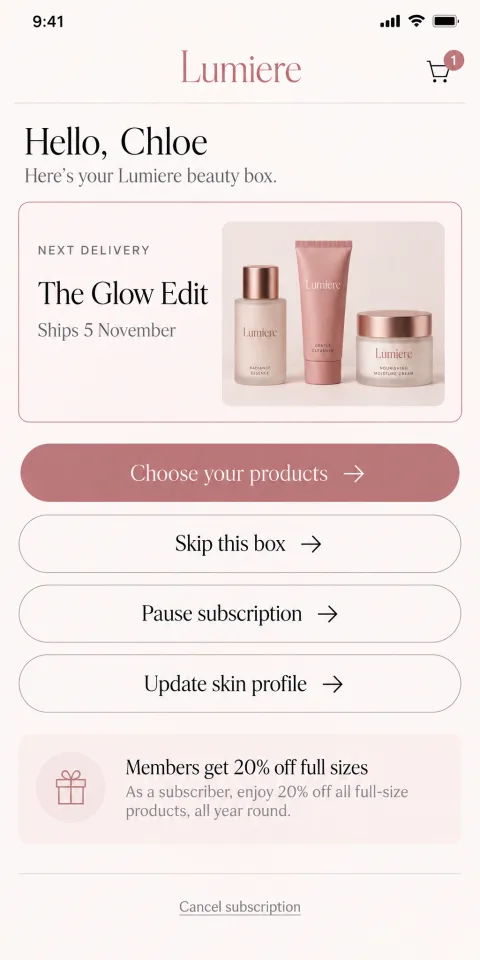
Lumiere
Beauty box
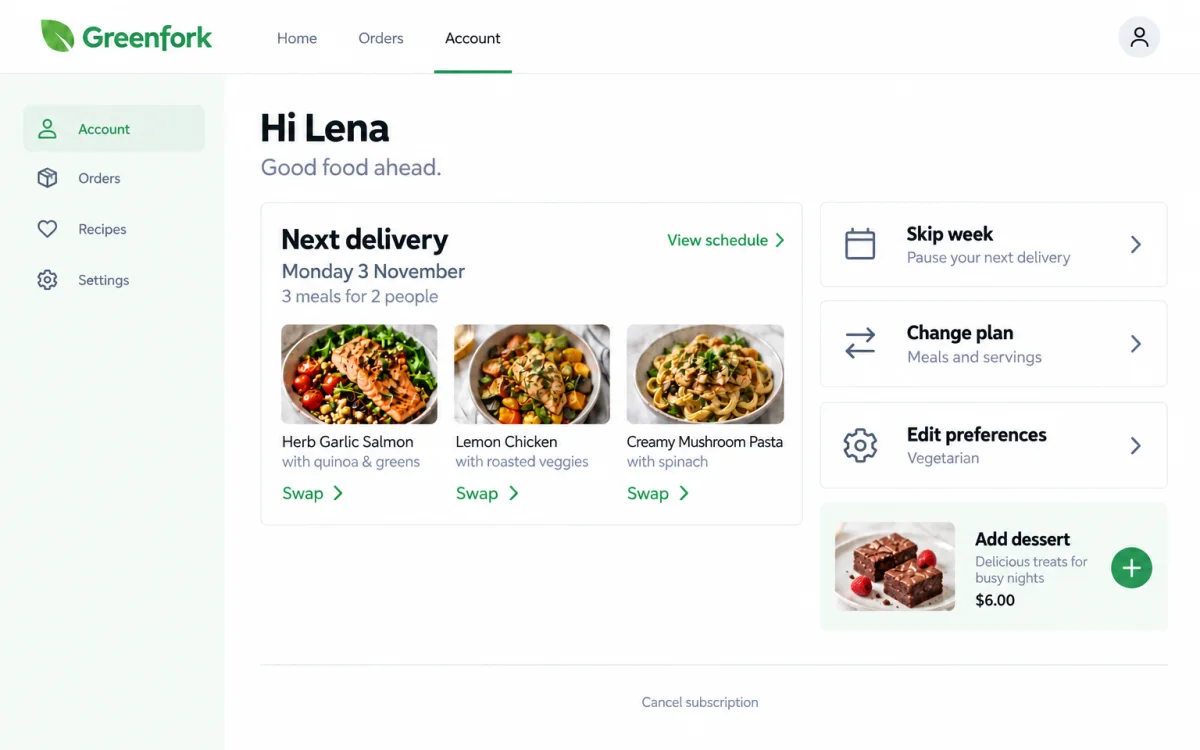
Greenfork
Meal kit
Example designs for six kinds of subscription business, on phone and desktop.
Look, move and run like a bigger team
Look like you have a designer.
A portal in your brand, with content worth logging in for.
Move like you have a developer.
A new offer, a new members’ page, a new way to pause. Each one is a message.
Run like you have an ops team.
When a subscriber skips, swaps or upgrades, billing and renewals update with it, on the same platform.
When a subscriber skips, everything else updates too.
Your portal, checkout, billing and subscriptions run on one platform. When a subscriber skips, the next charge and the next shipment change with it. There’s no app syncing with your store and no vendor update to break it.
And your subscribers are yours. The customer accounts, the data and the payment tokens belong to you. If you ever leave, your subscribers come with you, and nobody re-enters a card.
See live status and uptime
- BillingNext charge moves
- Next shipmentShips on the new date
- AnalyticsLogged as a skip
Already selling on another platform?
Design the portal
General store builder: Theme settings in a subscription app
Subbly: Describe it
Add-ons, upgrades, a members’ area
General store builder: Another app and another fee for each
Subbly: Built in
Save offers and exit surveys
General store builder: Often a separate retention app
Subbly: Built in
Portal data
General store builder: Synced between apps
Subbly: One platform
Who holds subscribers’ payment tokens
General store builder: Usually the platform
Subbly: You
| Task | On a general store builder | On Subbly |
|---|---|---|
| Design the portal | Theme settings in a subscription app | Describe it |
| Add-ons, upgrades, a members’ area | Another app and another fee for each | Built in |
| Save offers and exit surveys | Often a separate retention app | Built in |
| Portal data | Synced between apps | One platform |
| Who holds subscribers’ payment tokens | Usually the platform | You |
“We were originally on Wix, but we needed a more powerful platform to scale and personalize our offering. Switching to Subbly allowed us to leverage features like the Churn Suite, dunning tools, and post-checkout upsells. As a result, we tripled our subscriber count in just one year and reduced failed payments by 75%.”
 Jennifer BusbyFounder, Boddle Box, switched from Wix
In the hands of your agency or freelancer, this is a superpower.
Portal work is usually where client projects stop, because the portal lives in a separate app. On Subbly it’s part of the same build, so your agency can design the whole subscriber experience, from the first visit to the fiftieth login. They set the direction and your agent does the build hours. And there’s nothing to maintain after handoff.
Developers get the full API and SDKs for anything custom.

One portal for subscribers and one-off customers.
Subscribers manage their plan, their deliveries and what’s in their box. Customers who buy one-off products see their orders and track deliveries in the same account.
Subscribers
- Plans, frequency and prepaid terms
- What’s in the next box
- Skips, pauses and deliveries
- Address, card and preferences
One-off customers
- Every order in one place
- Receipts
- Delivery tracking
- Address and card
Not sure what your portal needs? Bring it to Launch Club.
A Subbly host builds real stores on screen every weekday, takes yours as the hot seat and answers anything. Bring your support inbox; we’ll turn the top questions into portal buttons together.
Reserve a seat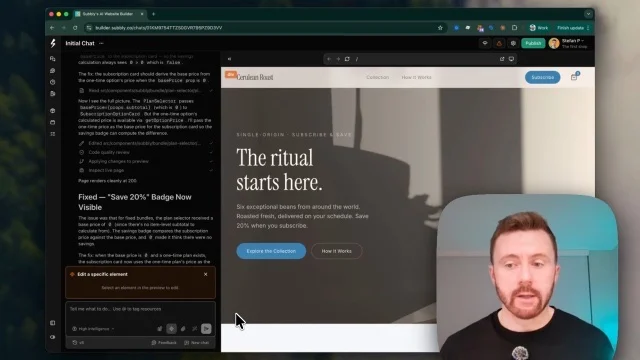
Frequently asked questions
What can subscribers do on their own?
Skip a box, pause, change plan or frequency, change what’s in their box, add one-off extras to the next box, update their address, card and preferences, and read members-only content. You choose which of these to turn on.
Can I stop people cancelling?
You can show the right alternative first, matched to the reason they give: a skip, a pause, a discount or a different plan. They can still say no thanks and cancel, because many markets require it and because subscribers who feel trapped don’t come back.
Do I need a plugin for upsells or a members’ area?
No. Add-ons, plan upgrades, save offers and members-only content are built into the portal.
Can I edit the portal by describing it?
Yes. Describe the change to your agent, check it, and publish it.
What does a change cost?
Most changes cost cents in credits, and new stores get free credits during setup. See pricing
Will the portal match the rest of my store?
Yes. Your agent designs it from the same brand as your storefront and checkout.
Can I move my existing subscribers?
Yes. Our migration team moves your products, customers and active subscriptions for you, for free. How migration works
Will my subscribers have to re-enter their cards?
Not if their cards are stored in Stripe or PayPal, or your current platform can transfer them to your Stripe account: we import them and billing carries on. If your platform keeps the cards, our Subscription Switch emails each subscriber a secure link to add their card in one step, with no login or checkout, and has brought back up to 84% of subscribers within 11 days.

Reject mediocre ecommerce. Great by default.
Great should be where you start, and it should still be there on a subscriber’s twelfth login. Read why we built Subbly this way in our manifesto.
3 days free, then $1/wk for 4 weeksNo card needed14 days freeCancel anytime


